
Why Are Smart Locks So Expensive?
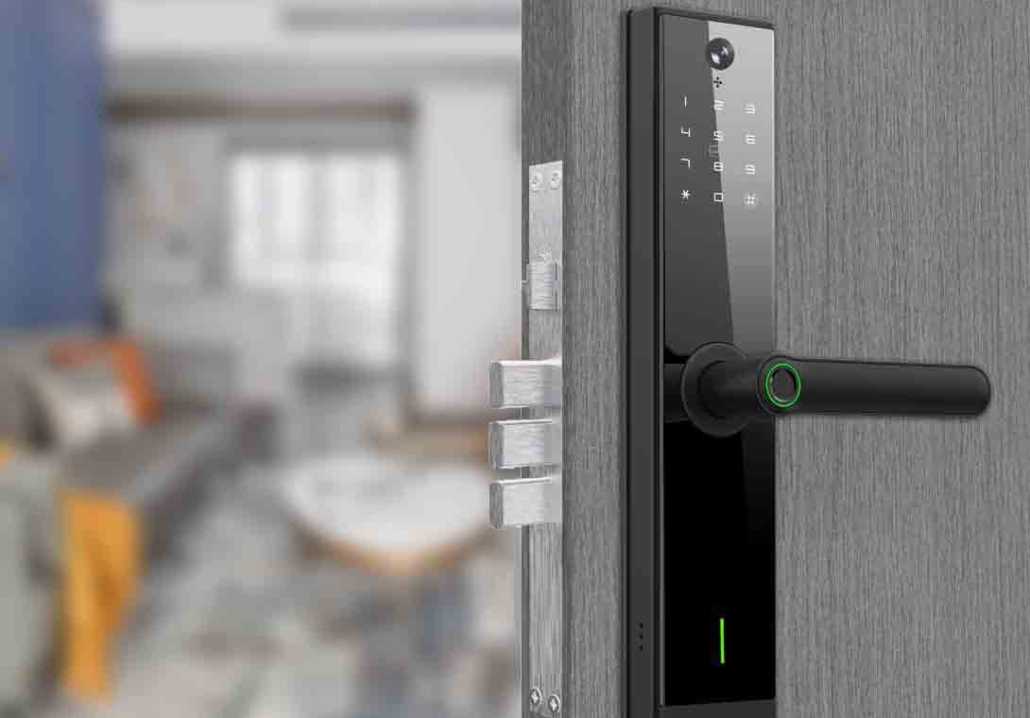
If you’ve ever shopped for a smart lock, you’ve probably noticed the price tag—150to400 or more—and wondered: Why are these things so expensive? After all, a traditional deadbolt costs as little as 20to80, so what justifies the huge price difference?
The answer isn’t just about the lock itself—it’s about advanced technology, security features, and convenience that traditional locks simply can’t match. But is the high cost really worth it?
In this article, we’ll break down the real reasons smart locks cost so much, including:
- The tech inside them (and why it’s pricey)
- Security certifications & durability costs
- Brand reputation & smart home integration
- Installation & ongoing maintenance factors
- Are they overpriced—or worth the investment?
By the end, you’ll understand whether a smart lock is a smart buy or an overhyped expense.
1. Advanced Technology = Higher Manufacturing Costs
Unlike traditional locks, smart locks pack multiple high-tech components into a single device:
A. Wireless Connectivity (Wi-Fi, Bluetooth, Zigbee, Z-Wave)
- Smart locks need strong, reliable signals to work with your phone, voice assistants (like Alexa or Google Home), and other smart home devices.
- This requires specialized chips, antennas, and encryption to prevent hacking.
- Example: A Bluetooth-enabled lock needs a low-energy chip that doesn’t drain the battery quickly.
B. Motorized Locking Mechanism
- Traditional locks rely on manual turning, but smart locks use small motors to lock/unlock automatically.
- These motors must be durable, quiet, and energy-efficient—adding to production costs.
C. Battery & Power Management
- Since smart locks don’t rely on keys, they need long-lasting batteries (often AA or lithium-ion).
- Many include low-battery alerts and backup power options (like USB-C charging or a 9V battery touchpoint).
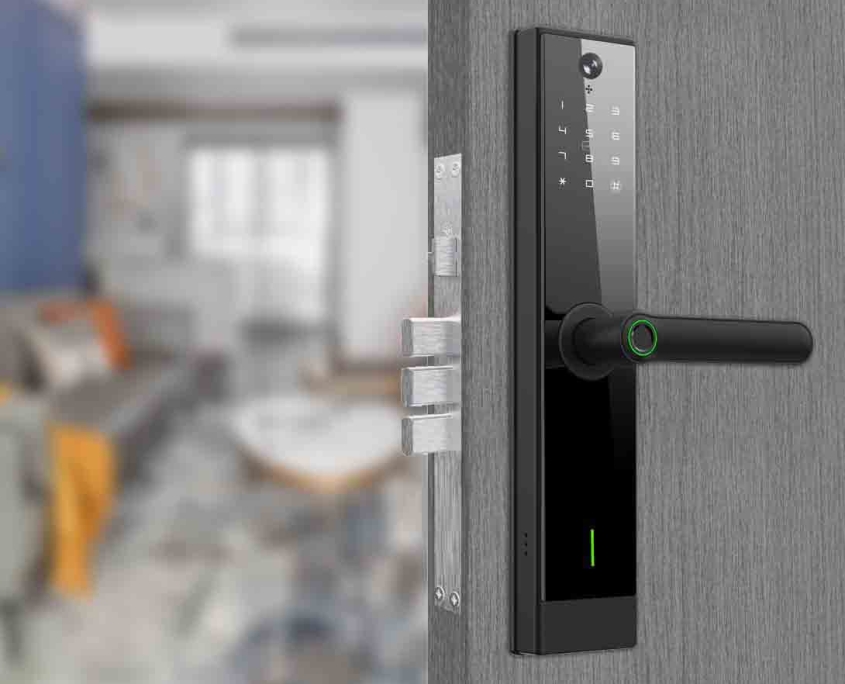
D. Touchscreens, Keypads & Biometric Scanners
- Fingerprint readers and digital keypads require precision sensors, which are more expensive than a simple keyhole.
- Cheaper models may skip these, but premium locks include multiple entry methods, driving up costs.
2. Security Certifications & Testing (They’re Not Just Locks—They’re Tech Devices)
A $20 deadbolt only needs to meet basic ANSI/BHMA security grades, but smart locks undergo much stricter testing:
A. Encryption & Cybersecurity Protections
- To prevent hacking, smart locks must use military-grade encryption .
- Companies invest heavily in firmware updates to patch vulnerabilities.
B. Physical Security Ratings (ANSI Grade 1 or 2)
- The best smart locks are Grade 1 certified, meaning they resist picking, drilling, and forced entry as well as high-end traditional deadbolts.
C. Third-Party Testing & Hacking Challenges
- Reputable brands hire ethical hackers to test their locks for exploits.
All these security measures add to the final price—but they also make the lock much harder to break into.
3. Smart Home Compatibility & Brand Premiums
A. Works with Alexa, Google Home, Apple HomeKit, etc.
- Smart locks that integrate with major smart home systems require extra development and licensing fees.
- Example: Apple HomeKit certification is notoriously expensive for manufacturers.
B. Brand Reputation (You’re Paying for Trust)
- Well-known brands charge more because they have built a reputation for being reliable and safe.
- Cheaper no-name brands may cut corners on security or customer support.
C. App Development & Cloud Services
- A smart lock isn’t just hardware—it needs a well-designed app for remote access, guest keys, and activity logs.
- Maintaining cloud servers for remote access adds ongoing costs.
4. Installation & Maintenance Costs (Hidden Expenses)
A. Professional Installation (Optional but Recommended)
- Some smart locks (like August Wi-Fi Smart Lock) are DIY-friendly, but others may require an electrician or locksmith (100–300).
- Complex setups (like mortise smart locks) can be even pricier.
B. Battery Replacements & Upkeep
- Most smart locks need battery changes every 6–12 months.
- Some high-end models have 10-year battery life, but they cost more upfront.
C. Software Updates & Potential Subscription Fees
- Some brands require a monthly subscription for advanced features like 24/7 activity logs.
5. Are Smart Locks Overpriced—Or Worth It?
When a Smart Lock Is Worth the Cost:
You want keyless convenience (no more fumbling for keys).
You need remote access (letting in cleaners, dog walkers, or guests while you’re away).
You prioritize high-tech security (encrypted access over traditional keys).
When a Traditional Lock Is Smarter:
You’re on a tight budget (a $50 deadbolt + a security camera may be cheaper).
You don’t need smart features (if you never forget your keys, why pay extra?).
Final Verdict: Yes, Smart Locks Are Expensive—But There’s a Reason
Smart locks cost more because they’re not just locks—they’re mini-computers for your door. Between advanced tech, security certifications, and smart home integration, the price reflects real engineering and safety investments.
Are they worth it? If you value keyless living, remote access, and high-tech security, then yes. But if you’re happy with a traditional deadbolt, you can save hundreds.
What Do You Think?
- Do you own a smart lock? Was it worth the price?
- Would you pay $300+ for one, or stick with a classic key?
If you want to know more about hotel door locks and smart door locks, please leave a message in the comment area and contact us!
Related Blog
 https://www.keyplusystem.com/wp-content/uploads/2026/10/image-20261010-080119085.png
1024
1536
Wu, Wendy
/wp-content/uploads/2023/05/logo.png
Wu, Wendy2026-10-10 06:01:302026-10-10 06:01:31Driving Hotel Efficiency with Advanced Digital Door Locks: The Ultimate B2B Guide
https://www.keyplusystem.com/wp-content/uploads/2026/10/image-20261010-080119085.png
1024
1536
Wu, Wendy
/wp-content/uploads/2023/05/logo.png
Wu, Wendy2026-10-10 06:01:302026-10-10 06:01:31Driving Hotel Efficiency with Advanced Digital Door Locks: The Ultimate B2B Guide https://www.keyplusystem.com/wp-content/uploads/2026/10/image-20261010-000134148.png
1024
1536
Wu, Wendy
/wp-content/uploads/2023/05/logo.png
Wu, Wendy2026-10-09 22:01:442026-10-09 22:01:46Revolutionizing Hotel Security: RFID Key Cards and AIoT Smart Lock Solutions by KEYPLUS
https://www.keyplusystem.com/wp-content/uploads/2026/10/image-20261010-000134148.png
1024
1536
Wu, Wendy
/wp-content/uploads/2023/05/logo.png
Wu, Wendy2026-10-09 22:01:442026-10-09 22:01:46Revolutionizing Hotel Security: RFID Key Cards and AIoT Smart Lock Solutions by KEYPLUS https://www.keyplusystem.com/wp-content/uploads/2026/10/image-20261009-160126393.png
1024
1536
Wu, Wendy
/wp-content/uploads/2023/05/logo.png
Wu, Wendy2026-10-09 14:01:362026-10-09 14:01:38The Future of Hospitality: Wireless Hotel Lock Systems Powered by KEYPLUS
https://www.keyplusystem.com/wp-content/uploads/2026/10/image-20261009-160126393.png
1024
1536
Wu, Wendy
/wp-content/uploads/2023/05/logo.png
Wu, Wendy2026-10-09 14:01:362026-10-09 14:01:38The Future of Hospitality: Wireless Hotel Lock Systems Powered by KEYPLUS https://www.keyplusystem.com/wp-content/uploads/2026/10/image-20261009-080202455.png
1024
1536
Wu, Wendy
/wp-content/uploads/2023/05/logo.png
Wu, Wendy2026-10-09 06:02:152026-10-09 06:02:17Revolutionizing Hotel Security: The Future of Smart Locks for Hospitality Spaces
https://www.keyplusystem.com/wp-content/uploads/2026/10/image-20261009-080202455.png
1024
1536
Wu, Wendy
/wp-content/uploads/2023/05/logo.png
Wu, Wendy2026-10-09 06:02:152026-10-09 06:02:17Revolutionizing Hotel Security: The Future of Smart Locks for Hospitality Spaces https://www.keyplusystem.com/wp-content/uploads/2026/10/image-20261009-000116876.png
1024
1536
Wu, Wendy
/wp-content/uploads/2023/05/logo.png
Wu, Wendy2026-10-08 22:01:272026-10-08 22:01:29Revolutionizing Hotel Room Security: How Smart Locks Enhance Guest Safety and Operational Efficiency
https://www.keyplusystem.com/wp-content/uploads/2026/10/image-20261009-000116876.png
1024
1536
Wu, Wendy
/wp-content/uploads/2023/05/logo.png
Wu, Wendy2026-10-08 22:01:272026-10-08 22:01:29Revolutionizing Hotel Room Security: How Smart Locks Enhance Guest Safety and Operational Efficiency https://www.keyplusystem.com/wp-content/uploads/2026/10/image-20261008-080144553.png
1024
1536
Wu, Wendy
/wp-content/uploads/2023/05/logo.png
Wu, Wendy2026-10-08 06:01:552026-10-08 06:01:57Why Portable Locks are a Game-Changer for Modern Hotel Room Security
https://www.keyplusystem.com/wp-content/uploads/2026/10/image-20261008-080144553.png
1024
1536
Wu, Wendy
/wp-content/uploads/2023/05/logo.png
Wu, Wendy2026-10-08 06:01:552026-10-08 06:01:57Why Portable Locks are a Game-Changer for Modern Hotel Room Security
