
Does Your Digital Lock Really Need Wi-Fi?
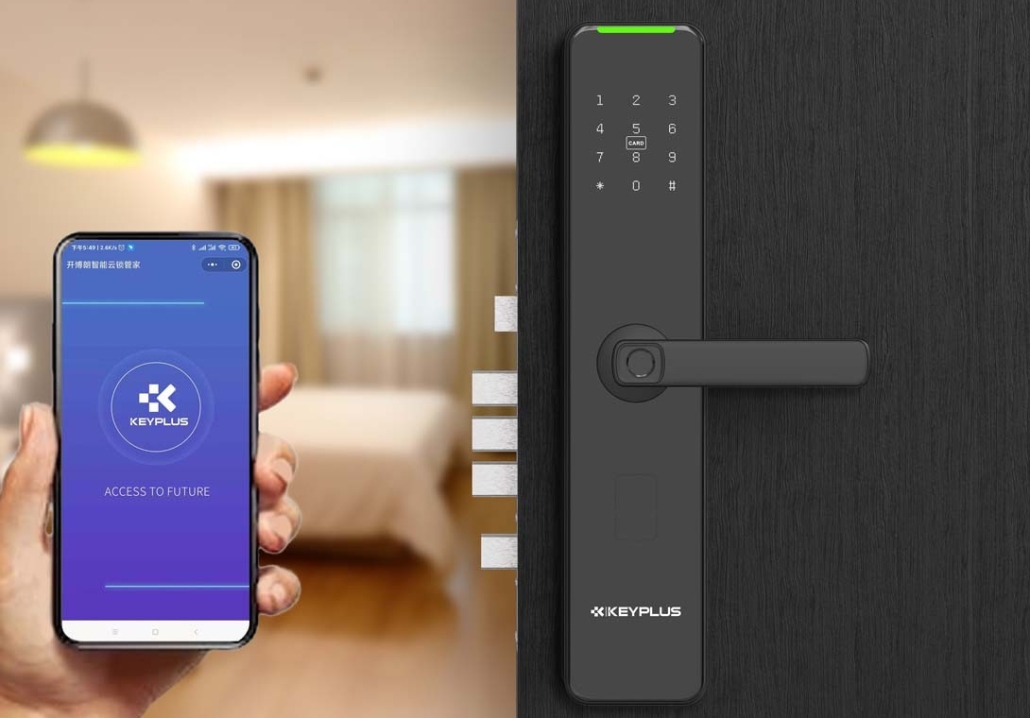
The Essential Guide
For homeowners considering smart security, one question consistently arises: Does a digital lock actually require Wi-Fi? The short answer is no—Wi-Fi is not fundamental to a digital lock’s core operation. However, its role in enhancing functionality merits deeper understanding. This guide clarifies where Wi-Fi fits into digital lock technology and helps you decide whether it’s necessary for your needs.
The Core Functionality: What Works Without Wi-Fi
At their most basic level, digital locks are standalone devices prioritizing physical access control. These core features do not rely on Wi-Fi:
-
Biometric entry: Fingerprint scanners using 3D sensing or live detection recognize authorized users instantly.
-
Physical and offline codes: PIN pads (often with anti-snooping features like randomized key layouts) and backup mechanical keys provide entry even during power or network failures.
-
RFID/NFC: Key cards or fobs enable tap-to-unlock convenience.
-
Bluetooth proximity unlocking: Phones paired via Bluetooth can unlock doors when nearby—no internet needed.
Without Wi-Fi, these locks still offer keyless convenience, audit trails (stored locally), and resistance to physical tampering. They remain functional as high-security access points.
Why Add Wi-Fi? Enhanced Capabilities
Connecting a digital lock to Wi-Fi acts as a force multiplier, introducing remote management and smart integrations:
-
Real-time alerts & remote control: Lock or unlock your door from anywhere via an app, and receive instant notifications for entry attempts or security events.
-
Temporary access sharing: Generate time-limited codes for guests, cleaners, or deliveries without physical key exchanges.
-
Activity logs: Review who entered and when, with cloud-synced records accessible beyond the lock’s local memory.
-
Smart home/voice integration: Connect with platforms like Alexa, Google Home, or Apple HomeKit for voice control or automated routines.
Note that most Wi-Fi-enabled locks require a 2.4 GHz network (not 5 GHz) and struggle with public or complex enterprise networks. Special characters in Wi-Fi names or passwords can also disrupt setup.
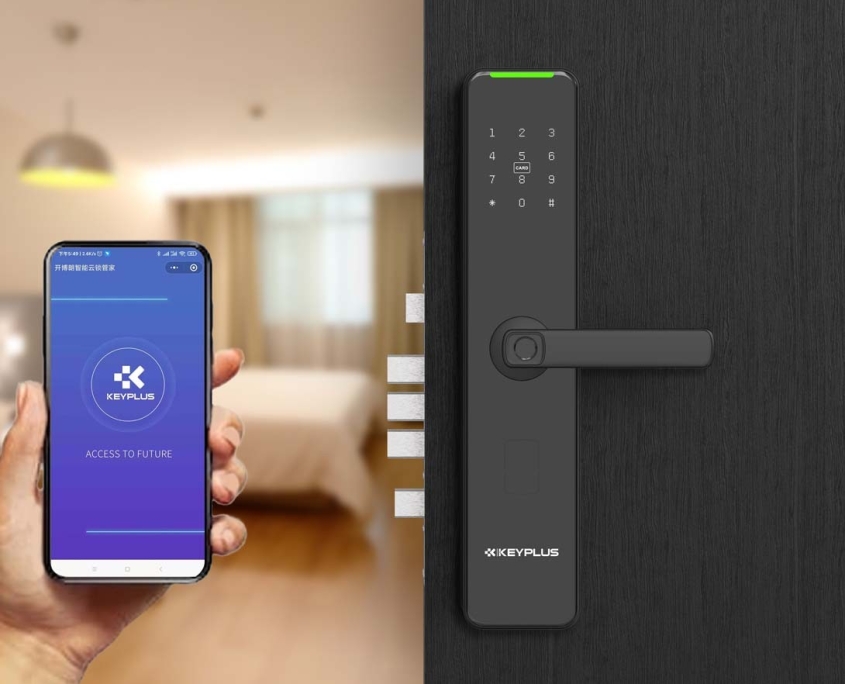
Reliable Alternatives to Wi-Fi
If Wi-Fi proves unreliable or undesirable, other connectivity options deliver partial smart benefits:
-
Bluetooth (Low Energy): Enables phone-based unlocking and configuration within ~10–30 feet. More secure than Wi-Fi against remote hacking as it requires physical proximity.
-
Gateways/Hubs: Dedicated bridges (e.g., Zigbee or Matter-compatible hubs) connect locks to the internet via Ethernet, improving stability and range.
-
Offline Sharing: Technologies like Offline Access Codes (OAC) let owners generate one-time or recurring codes remotely. These sync to the lock later via Bluetooth, bypassing Wi-Fi entirely.
Security Implications: Weighing Risks
Adding Wi-Fi expands a lock’s surface for potential attacks but also enables proactive security:
-
Risks: Poorly secured networks could expose lock controls. Always prioritize devices with end-to-end encryption and regular firmware updates.
-
Mitigations: Use strong, unique Wi-Fi passwords; enable WPA2/WPA3 security; and isolate smart devices on a separate network if possible.
-
Trade-offs: Bluetooth’s physical range limitation inherently reduces remote hacking risks, while Wi-Fi offers unmatched convenience for frequent access sharing.
Should You Use Wi-Fi? Key Considerations
Your decision hinges on personal priorities:
-
Choose Wi-Fi if you:
-
Frequently grant temporary access (e.g., Airbnb hosts, busy families).
-
Want real-time alerts while away from home.
-
Prefer centralized control via voice assistants or smart home apps.
-
-
Avoid Wi-Fi (or use alternatives) if you:
-
Lack reliable 2.4 GHz Wi-Fi coverage at your door.
-
Prioritize maximum security with minimal connectivity risks.
-
Reside in areas with frequent power/network outages.
-
-
Hybrid approach: Use Bluetooth for daily control and a hub/gateway for occasional remote needs. This balances convenience and reliability.
Final Recommendations
Digital locks provide robust security without Wi-Fi, but adding it intelligently transforms them into interactive sentinels. For most users:
-
Prioritize core security features first: Fingerprint accuracy, anti-pick mechanisms, and physical durability matter more than connectivity.
-
Add Wi-Fi selectively: If remote features are essential, ensure your network is secure and compatible.
-
Consider future-proof hubs: Gateways supporting Matter or similar standards allow locks to work across ecosystems without vendor lock-in.
Ultimately, Wi-Fi is an optional layer—one that offers significant convenience but isn’t essential to a digital lock’s primary duty: keeping your home safe. By understanding your habits and infrastructure, you can make an empowered choice that harmonizes innovation with peace of mind.
Related Blog
 https://www.keyplusystem.com/wp-content/uploads/2026/10/image-20261010-080119085.png
1024
1536
Wu, Wendy
/wp-content/uploads/2023/05/logo.png
Wu, Wendy2026-10-10 06:01:302026-10-10 06:01:31Driving Hotel Efficiency with Advanced Digital Door Locks: The Ultimate B2B Guide
https://www.keyplusystem.com/wp-content/uploads/2026/10/image-20261010-080119085.png
1024
1536
Wu, Wendy
/wp-content/uploads/2023/05/logo.png
Wu, Wendy2026-10-10 06:01:302026-10-10 06:01:31Driving Hotel Efficiency with Advanced Digital Door Locks: The Ultimate B2B Guide https://www.keyplusystem.com/wp-content/uploads/2026/10/image-20261010-000134148.png
1024
1536
Wu, Wendy
/wp-content/uploads/2023/05/logo.png
Wu, Wendy2026-10-09 22:01:442026-10-09 22:01:46Revolutionizing Hotel Security: RFID Key Cards and AIoT Smart Lock Solutions by KEYPLUS
https://www.keyplusystem.com/wp-content/uploads/2026/10/image-20261010-000134148.png
1024
1536
Wu, Wendy
/wp-content/uploads/2023/05/logo.png
Wu, Wendy2026-10-09 22:01:442026-10-09 22:01:46Revolutionizing Hotel Security: RFID Key Cards and AIoT Smart Lock Solutions by KEYPLUS https://www.keyplusystem.com/wp-content/uploads/2026/10/image-20261009-160126393.png
1024
1536
Wu, Wendy
/wp-content/uploads/2023/05/logo.png
Wu, Wendy2026-10-09 14:01:362026-10-09 14:01:38The Future of Hospitality: Wireless Hotel Lock Systems Powered by KEYPLUS
https://www.keyplusystem.com/wp-content/uploads/2026/10/image-20261009-160126393.png
1024
1536
Wu, Wendy
/wp-content/uploads/2023/05/logo.png
Wu, Wendy2026-10-09 14:01:362026-10-09 14:01:38The Future of Hospitality: Wireless Hotel Lock Systems Powered by KEYPLUS https://www.keyplusystem.com/wp-content/uploads/2026/10/image-20261009-080202455.png
1024
1536
Wu, Wendy
/wp-content/uploads/2023/05/logo.png
Wu, Wendy2026-10-09 06:02:152026-10-09 06:02:17Revolutionizing Hotel Security: The Future of Smart Locks for Hospitality Spaces
https://www.keyplusystem.com/wp-content/uploads/2026/10/image-20261009-080202455.png
1024
1536
Wu, Wendy
/wp-content/uploads/2023/05/logo.png
Wu, Wendy2026-10-09 06:02:152026-10-09 06:02:17Revolutionizing Hotel Security: The Future of Smart Locks for Hospitality Spaces https://www.keyplusystem.com/wp-content/uploads/2026/10/image-20261009-000116876.png
1024
1536
Wu, Wendy
/wp-content/uploads/2023/05/logo.png
Wu, Wendy2026-10-08 22:01:272026-10-08 22:01:29Revolutionizing Hotel Room Security: How Smart Locks Enhance Guest Safety and Operational Efficiency
https://www.keyplusystem.com/wp-content/uploads/2026/10/image-20261009-000116876.png
1024
1536
Wu, Wendy
/wp-content/uploads/2023/05/logo.png
Wu, Wendy2026-10-08 22:01:272026-10-08 22:01:29Revolutionizing Hotel Room Security: How Smart Locks Enhance Guest Safety and Operational Efficiency https://www.keyplusystem.com/wp-content/uploads/2026/10/image-20261008-080144553.png
1024
1536
Wu, Wendy
/wp-content/uploads/2023/05/logo.png
Wu, Wendy2026-10-08 06:01:552026-10-08 06:01:57Why Portable Locks are a Game-Changer for Modern Hotel Room Security
https://www.keyplusystem.com/wp-content/uploads/2026/10/image-20261008-080144553.png
1024
1536
Wu, Wendy
/wp-content/uploads/2023/05/logo.png
Wu, Wendy2026-10-08 06:01:552026-10-08 06:01:57Why Portable Locks are a Game-Changer for Modern Hotel Room Security
