
What is Bluetooth Smart Lock?
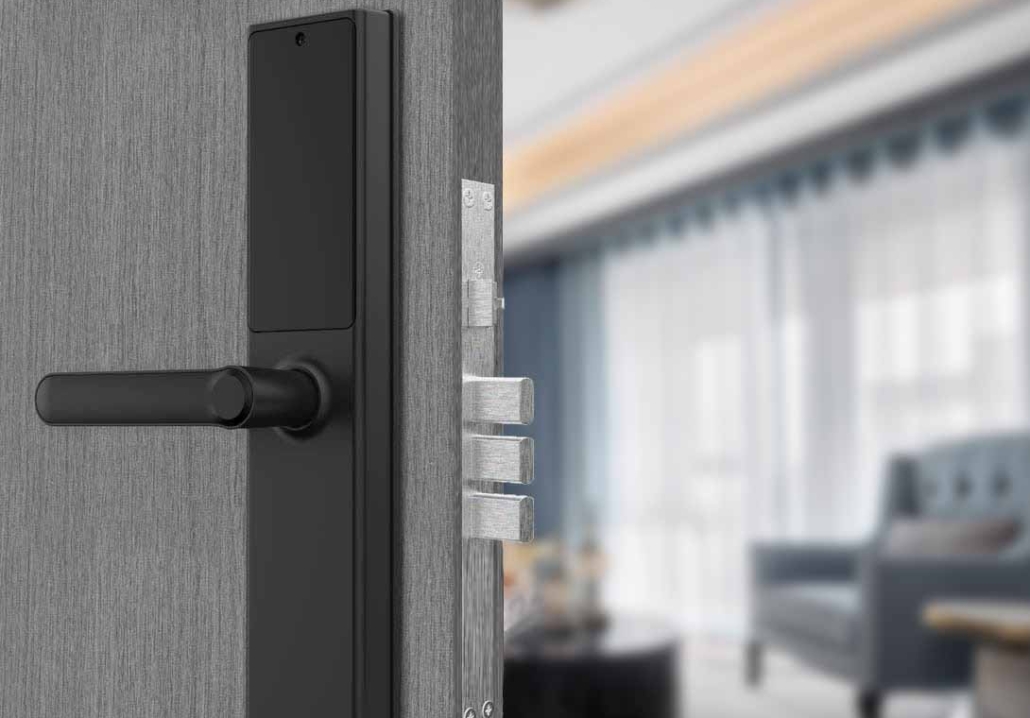
In today’s connected world, traditional keys are becoming outdated. Instead, smart locks—especially Bluetooth smart locks—are revolutionizing home security by offering keyless entry, remote access, and seamless integration with smartphones.
If you’re new to smart home technology, you might wonder: What exactly is a Bluetooth smart lock, and how does it work? This guide explains everything you need to know—from basic functionality to installation, benefits, and security considerations—all in simple, easy-to-understand terms.
What Is a Bluetooth Smart Lock?
A Bluetooth smart lock is an electronic locking device that uses Bluetooth wireless technology to communicate with your smartphone or other authorized devices. Instead of using a physical key, you can unlock your door with:
-
Your smartphone (via an app)
-
A PIN code (on models with a keypad)
-
A fingerprint (on biometric models)
-
A voice command (if integrated with Alexa or Google Assistant)
Unlike Wi-Fi smart locks, which connect to the internet for remote access, Bluetooth locks work within a short range (typically 30–100 feet). This makes them more energy-efficient and secure against remote hacking.
How Does a Bluetooth Smart Lock Work?
Bluetooth smart locks operate through a simple process:
-
Pairing with Your Phone – The lock syncs with your smartphone via Bluetooth.
-
Authentication – When you approach the door, the lock detects your phone.
-
Unlocking – You can open the door by:
-
Tapping a button in the app
-
Entering a PIN on the keypad
-
Scanning your fingerprint
-
-
Locking – The door can lock automatically or manually via the app.
Some advanced models also allow:
-
Temporary access for guests (via time-limited digital keys)
-
Activity logs (to track who enters and exits)
-
Integration with smart home systems
Types of Bluetooth Smart Locks
Not all Bluetooth locks are the same. Here are the most common types:
1. Keypad + Bluetooth Locks
-
Unlock via PIN code or smartphone.
2. Biometric Bluetooth Locks
-
Use fingerprint scanning for access.
3. App-Only Bluetooth Locks
-
Require a smartphone to unlock (no keypad).
4. Hybrid (Bluetooth + Wi-Fi) Locks
-
Offer both short-range Bluetooth and remote Wi-Fi access.
Benefits of Bluetooth Smart Locks
Why should you choose a Bluetooth smart lock over a traditional key lock? Here are the key advantages:
1. No More Lost Keys
-
Forget about getting locked out—your phone is your key.
2. Convenient Access
-
Unlock your door hands-free when your phone is nearby.
3. Enhanced Security
-
No physical keys to copy or pick.
-
Encryption makes Bluetooth locks harder to hack than Wi-Fi locks.
4. Easy Guest Access
-
Share temporary digital keys instead of physical keys.
5. Smart Home Integration
-
Works with Apple HomeKit, Google Assistant, or Alexa for voice control.
6. Battery Efficient
-
Bluetooth uses less power than Wi-Fi, so batteries last longer.
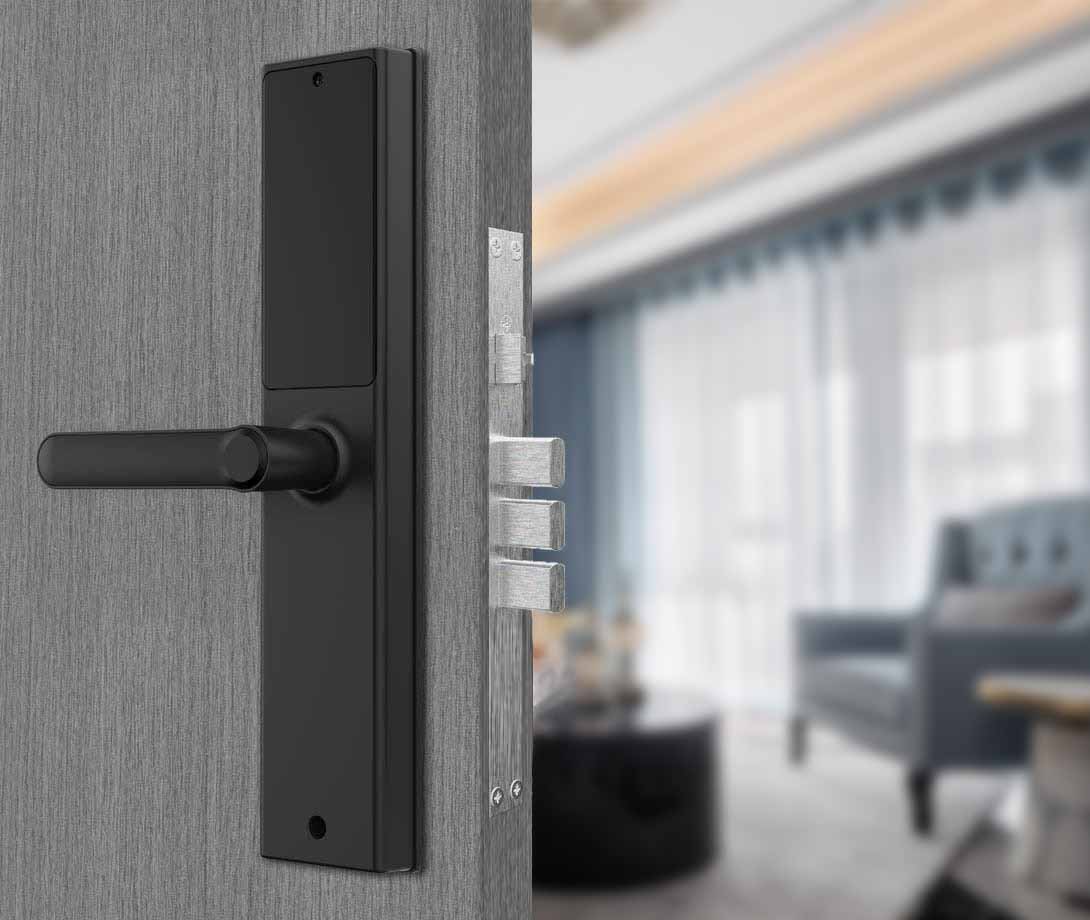
How to Install a Bluetooth Smart Lock
Most Bluetooth smart locks are designed for easy DIY installation. Here’s a general guide (always check your model’s manual for exact steps).
Tools Needed:
-
Screwdriver
-
Measuring tape
-
Smartphone with the lock’s app
Installation Steps:
-
Remove the Old Lock – Unscrew and take out the existing deadbolt.
-
Install the New Deadbolt – Insert the smart lock mechanism into the door.
-
Attach the Exterior & Interior Panels – Secure the keypad (if any) and battery compartment.
-
Pair with Your Phone – Open the app, enable Bluetooth, and follow setup instructions.
-
Test the Lock – Ensure it locks/unlocks smoothly before finalizing.
How to Use a Bluetooth Smart Lock Daily
Once installed, using your Bluetooth smart lock is simple:
Unlocking Methods:
-
Smartphone App – Open the app and tap “Unlock.”
-
Auto-Unlock – Some locks open automatically when your phone is near.
-
PIN Code – Enter your code on the keypad (if available).
-
Fingerprint Scan – Place your finger on the sensor.
Locking Methods:
-
Manual Lock – Press the lock button on the app or keypad.
-
Auto-Lock – The door locks itself after a set time (e.g., 30 seconds).
-
Voice Command – Say, “Alexa, lock the front door.”
Managing Access for Others:
-
Share Digital Keys – Send temporary access via the app.
-
Set Schedules – Allow access only at certain times (e.g., for cleaners).
Security: Are Bluetooth Smart Locks Safe?
Bluetooth smart locks are generally more secure than traditional locks, but you should still follow best practices:
Use Strong PINs – Avoid simple codes like “1234.”
Enable Two-Factor Authentication (if available).
Keep Your Phone Secure – Use a passcode/biometric lock.
Update Firmware Regularly – Install security patches.
Disable Unused Access – Remove old guest keys.
Bluetooth vs. Wi-Fi Smart Locks: Which Is Better?
| Feature | Bluetooth Smart Lock | Wi-Fi Smart Lock |
|---|---|---|
| Range | Short (30–100 ft) | Unlimited (remote access) |
| Power Use | Low (long battery life) | High (drains batteries faster) |
| Security | More secure (harder to hack remotely) | Slightly higher hacking risk |
| Internet Required? | No | Yes |
| Best For | Homes, apartments | Vacation rentals, businesses |
Choose Bluetooth if:
You want long battery life.
You don’t need remote access.
You prioritize security over convenience.
Choose Wi-Fi if:
You want to control the lock from anywhere.
You need real-time alerts.
Conclusion
Bluetooth smart locks offer a secure, convenient, and key-free way to protect your home. They’re easy to install, work with smartphones, and provide better security than traditional locks.
If you want keyless entry without the complexity of Wi-Fi, a Bluetooth smart lock is an excellent choice. Just pick a reputable brand, follow security best practices, and enjoy a smarter, safer home!
Related Blog
 https://www.keyplusystem.com/wp-content/uploads/2026/10/image-20261010-080119085.png
1024
1536
Wu, Wendy
/wp-content/uploads/2023/05/logo.png
Wu, Wendy2026-10-10 06:01:302026-10-10 06:01:31Driving Hotel Efficiency with Advanced Digital Door Locks: The Ultimate B2B Guide
https://www.keyplusystem.com/wp-content/uploads/2026/10/image-20261010-080119085.png
1024
1536
Wu, Wendy
/wp-content/uploads/2023/05/logo.png
Wu, Wendy2026-10-10 06:01:302026-10-10 06:01:31Driving Hotel Efficiency with Advanced Digital Door Locks: The Ultimate B2B Guide https://www.keyplusystem.com/wp-content/uploads/2026/10/image-20261010-000134148.png
1024
1536
Wu, Wendy
/wp-content/uploads/2023/05/logo.png
Wu, Wendy2026-10-09 22:01:442026-10-09 22:01:46Revolutionizing Hotel Security: RFID Key Cards and AIoT Smart Lock Solutions by KEYPLUS
https://www.keyplusystem.com/wp-content/uploads/2026/10/image-20261010-000134148.png
1024
1536
Wu, Wendy
/wp-content/uploads/2023/05/logo.png
Wu, Wendy2026-10-09 22:01:442026-10-09 22:01:46Revolutionizing Hotel Security: RFID Key Cards and AIoT Smart Lock Solutions by KEYPLUS https://www.keyplusystem.com/wp-content/uploads/2026/10/image-20261009-160126393.png
1024
1536
Wu, Wendy
/wp-content/uploads/2023/05/logo.png
Wu, Wendy2026-10-09 14:01:362026-10-09 14:01:38The Future of Hospitality: Wireless Hotel Lock Systems Powered by KEYPLUS
https://www.keyplusystem.com/wp-content/uploads/2026/10/image-20261009-160126393.png
1024
1536
Wu, Wendy
/wp-content/uploads/2023/05/logo.png
Wu, Wendy2026-10-09 14:01:362026-10-09 14:01:38The Future of Hospitality: Wireless Hotel Lock Systems Powered by KEYPLUS https://www.keyplusystem.com/wp-content/uploads/2026/10/image-20261009-080202455.png
1024
1536
Wu, Wendy
/wp-content/uploads/2023/05/logo.png
Wu, Wendy2026-10-09 06:02:152026-10-09 06:02:17Revolutionizing Hotel Security: The Future of Smart Locks for Hospitality Spaces
https://www.keyplusystem.com/wp-content/uploads/2026/10/image-20261009-080202455.png
1024
1536
Wu, Wendy
/wp-content/uploads/2023/05/logo.png
Wu, Wendy2026-10-09 06:02:152026-10-09 06:02:17Revolutionizing Hotel Security: The Future of Smart Locks for Hospitality Spaces https://www.keyplusystem.com/wp-content/uploads/2026/10/image-20261009-000116876.png
1024
1536
Wu, Wendy
/wp-content/uploads/2023/05/logo.png
Wu, Wendy2026-10-08 22:01:272026-10-08 22:01:29Revolutionizing Hotel Room Security: How Smart Locks Enhance Guest Safety and Operational Efficiency
https://www.keyplusystem.com/wp-content/uploads/2026/10/image-20261009-000116876.png
1024
1536
Wu, Wendy
/wp-content/uploads/2023/05/logo.png
Wu, Wendy2026-10-08 22:01:272026-10-08 22:01:29Revolutionizing Hotel Room Security: How Smart Locks Enhance Guest Safety and Operational Efficiency https://www.keyplusystem.com/wp-content/uploads/2026/10/image-20261008-080144553.png
1024
1536
Wu, Wendy
/wp-content/uploads/2023/05/logo.png
Wu, Wendy2026-10-08 06:01:552026-10-08 06:01:57Why Portable Locks are a Game-Changer for Modern Hotel Room Security
https://www.keyplusystem.com/wp-content/uploads/2026/10/image-20261008-080144553.png
1024
1536
Wu, Wendy
/wp-content/uploads/2023/05/logo.png
Wu, Wendy2026-10-08 06:01:552026-10-08 06:01:57Why Portable Locks are a Game-Changer for Modern Hotel Room Security