
What Are the Disadvantages of Using Electronic Locks?
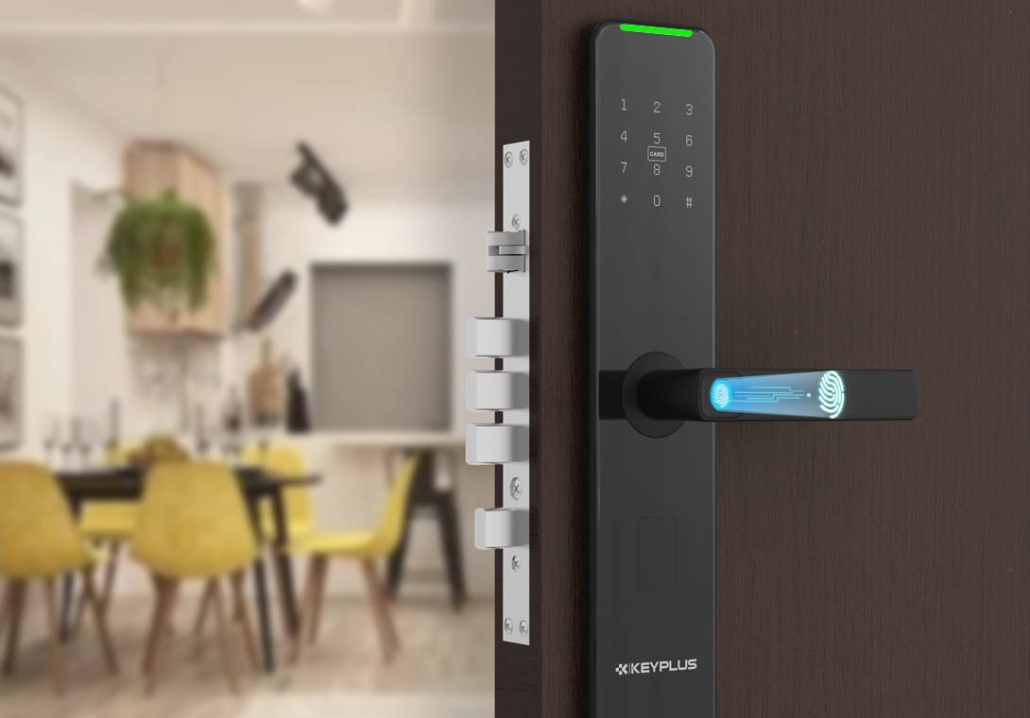
Electronic locks—keyless, smart, and digital—have surged in popularity across U.S. homes, offering convenience and modern security features. However, like any technology, they come with drawbacks. If you’re considering switching from traditional locks, it’s essential to weigh the pros and cons.
In this article, we’ll explore:
-
Reliability Concerns: Power Failures & Malfunctions
-
Cybersecurity Risks: Hacking & Digital Vulnerabilities
-
Higher Cost & Installation Complexity
-
Limited Durability in Extreme Weather
-
Compatibility Issues with Older Doors
-
User Errors & Learning Curve
By the end, you’ll have a clear understanding of whether electronic locks are the right choice for your home.
1. Reliability Concerns: Power Failures & Malfunctions
A. Battery Dependency
Most electronic locks run on batteries (AA or lithium), meaning:
-
Dead batteries = Lockout risk. If you forget to replace them, you could be stranded outside.
-
Low-battery warnings help, but aren’t foolproof. Some models fail suddenly without warning.
Solution: Keep spare batteries on hand, or opt for models with emergency power options (like a 9V battery backup).
B. Complete Power Loss (Wi-Fi/Bluetooth Models)
Smart locks connected to Wi-Fi or hubs may become unresponsive if:
-
Your home internet goes down.
-
The lock’s internal circuitry fails.
Solution: Choose a lock with a physical key override (many do) or a manual backup method.
2. Cybersecurity Risks: Hacking & Digital Vulnerabilities
Unlike traditional locks, electronic locks can be exploited digitally.
A. Bluetooth & Wi-Fi Hacking
-
Bluetooth locks can sometimes be bypassed with relay attacks (hackers amplifying signals to trick the lock).
-
Wi-Fi-enabled locks may be vulnerable if your home network is unsecured.
B. Weak Passcodes & PIN Guessing
-
Simple or default PINs (like “1234”) can be guessed or brute-forced.
-
Some fingerprint scanners can be fooled by high-quality replicas.
Solution:
-
Use strong, unique PINs (6+ digits).
-
Regularly update firmware.
-
Disable remote access if not needed.
3. Higher Cost & Installation Complexity
A. Upfront Expense
-
Basic electronic keypad locks: 100–200
-
High-end smart locks (Wi-Fi, voice control): 200–400+
-
Professional installation (if needed): 100–200
Compare this to a traditional deadbolt (20–80).
B. Installation Challenges
-
Some doors require drilling or modifications.
-
Renters may need landlord approval.
Solution:
-
Check door compatibility before buying.
-
Opt for retrofit models if DIY is a concern.
4. Limited Durability in Extreme Weather
Electronic locks contain sensitive circuitry that may struggle in:
-
Freezing temperatures (lithium batteries drain faster).
-
High humidity or rain (corrosion risk).
-
Direct sunlight/UV exposure (plastic parts may warp).
Solution:
-
Choose weather-resistant models (look for ANSI Grade 1 or 2 ratings).
-
Install a protective cover if exposed to rain/snow.
5. Compatibility Issues with Older Doors
Not all doors support electronic locks:
-
Historic homes may have mortise locks (requiring adapters).
-
Metal/glass doors may need professional installation.
-
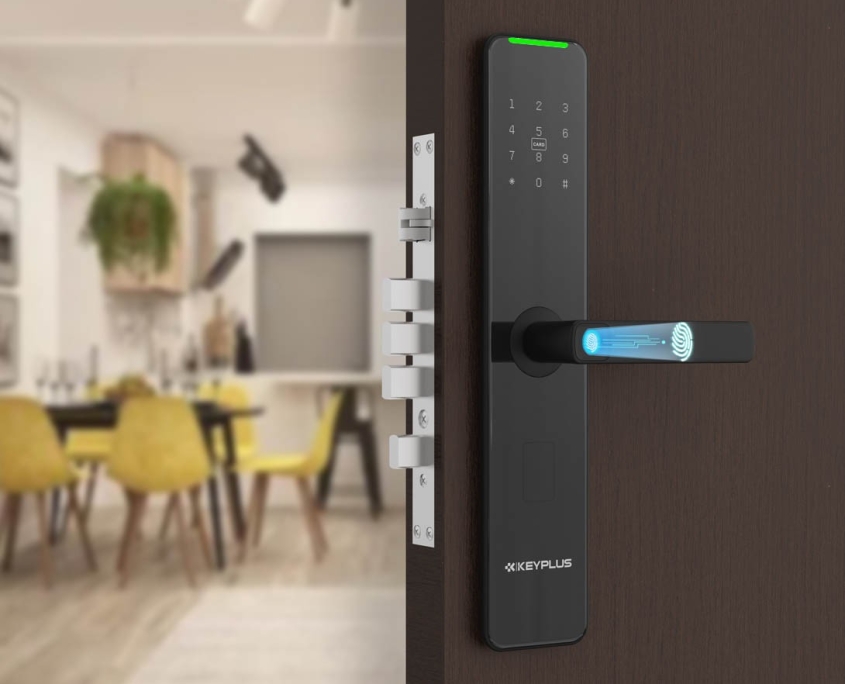
Multi-point locking systems (common in condos) often aren’t compatible.
Solution:
-
Measure your door’s backset and thickness before purchasing.
-
Consult a locksmith for non-standard doors.
6. User Errors & Learning Curve
A. Forgotten Codes or Lost Phones
-
If you rely on smartphone access, losing your phone means losing entry.
-
Guests may struggle with keyless entry if not tech-savvy.
B. Accidental Lockouts
-
Auto-locking features can trap you outside if you step out without a key or phone.
Solution:
-
Keep a spare physical key hidden.
-
Set up multiple access methods (PIN + fingerprint + key).
Final Verdict: Are Electronic Locks Worth It?
Good for:
-
Tech-savvy homeowners who prioritize convenience.
-
Renters using non-destructive retrofit models.
-
Modern homes with standard doors.
Not ideal for:
-
Extreme climates (unless weatherproofed).
-
Budget-conscious buyers.
-
Older homes with non-standard locks.
Best Alternatives?
-
Hybrid locks (electronic + physical key backup).
-
High-security traditional deadbolts.
Have you experienced issues with electronic locks? Share your thoughts in the comments!
Related Blog
 https://www.keyplusystem.com/wp-content/uploads/2026/10/image-20261010-080119085.png
1024
1536
Wu, Wendy
/wp-content/uploads/2023/05/logo.png
Wu, Wendy2026-10-10 06:01:302026-10-10 06:01:31Driving Hotel Efficiency with Advanced Digital Door Locks: The Ultimate B2B Guide
https://www.keyplusystem.com/wp-content/uploads/2026/10/image-20261010-080119085.png
1024
1536
Wu, Wendy
/wp-content/uploads/2023/05/logo.png
Wu, Wendy2026-10-10 06:01:302026-10-10 06:01:31Driving Hotel Efficiency with Advanced Digital Door Locks: The Ultimate B2B Guide https://www.keyplusystem.com/wp-content/uploads/2026/10/image-20261010-000134148.png
1024
1536
Wu, Wendy
/wp-content/uploads/2023/05/logo.png
Wu, Wendy2026-10-09 22:01:442026-10-09 22:01:46Revolutionizing Hotel Security: RFID Key Cards and AIoT Smart Lock Solutions by KEYPLUS
https://www.keyplusystem.com/wp-content/uploads/2026/10/image-20261010-000134148.png
1024
1536
Wu, Wendy
/wp-content/uploads/2023/05/logo.png
Wu, Wendy2026-10-09 22:01:442026-10-09 22:01:46Revolutionizing Hotel Security: RFID Key Cards and AIoT Smart Lock Solutions by KEYPLUS https://www.keyplusystem.com/wp-content/uploads/2026/10/image-20261009-160126393.png
1024
1536
Wu, Wendy
/wp-content/uploads/2023/05/logo.png
Wu, Wendy2026-10-09 14:01:362026-10-09 14:01:38The Future of Hospitality: Wireless Hotel Lock Systems Powered by KEYPLUS
https://www.keyplusystem.com/wp-content/uploads/2026/10/image-20261009-160126393.png
1024
1536
Wu, Wendy
/wp-content/uploads/2023/05/logo.png
Wu, Wendy2026-10-09 14:01:362026-10-09 14:01:38The Future of Hospitality: Wireless Hotel Lock Systems Powered by KEYPLUS https://www.keyplusystem.com/wp-content/uploads/2026/10/image-20261009-080202455.png
1024
1536
Wu, Wendy
/wp-content/uploads/2023/05/logo.png
Wu, Wendy2026-10-09 06:02:152026-10-09 06:02:17Revolutionizing Hotel Security: The Future of Smart Locks for Hospitality Spaces
https://www.keyplusystem.com/wp-content/uploads/2026/10/image-20261009-080202455.png
1024
1536
Wu, Wendy
/wp-content/uploads/2023/05/logo.png
Wu, Wendy2026-10-09 06:02:152026-10-09 06:02:17Revolutionizing Hotel Security: The Future of Smart Locks for Hospitality Spaces https://www.keyplusystem.com/wp-content/uploads/2026/10/image-20261009-000116876.png
1024
1536
Wu, Wendy
/wp-content/uploads/2023/05/logo.png
Wu, Wendy2026-10-08 22:01:272026-10-08 22:01:29Revolutionizing Hotel Room Security: How Smart Locks Enhance Guest Safety and Operational Efficiency
https://www.keyplusystem.com/wp-content/uploads/2026/10/image-20261009-000116876.png
1024
1536
Wu, Wendy
/wp-content/uploads/2023/05/logo.png
Wu, Wendy2026-10-08 22:01:272026-10-08 22:01:29Revolutionizing Hotel Room Security: How Smart Locks Enhance Guest Safety and Operational Efficiency https://www.keyplusystem.com/wp-content/uploads/2026/10/image-20261008-080144553.png
1024
1536
Wu, Wendy
/wp-content/uploads/2023/05/logo.png
Wu, Wendy2026-10-08 06:01:552026-10-08 06:01:57Why Portable Locks are a Game-Changer for Modern Hotel Room Security
https://www.keyplusystem.com/wp-content/uploads/2026/10/image-20261008-080144553.png
1024
1536
Wu, Wendy
/wp-content/uploads/2023/05/logo.png
Wu, Wendy2026-10-08 06:01:552026-10-08 06:01:57Why Portable Locks are a Game-Changer for Modern Hotel Room Security
