
Is a Bluetooth smart lock better than Wi-Fi?
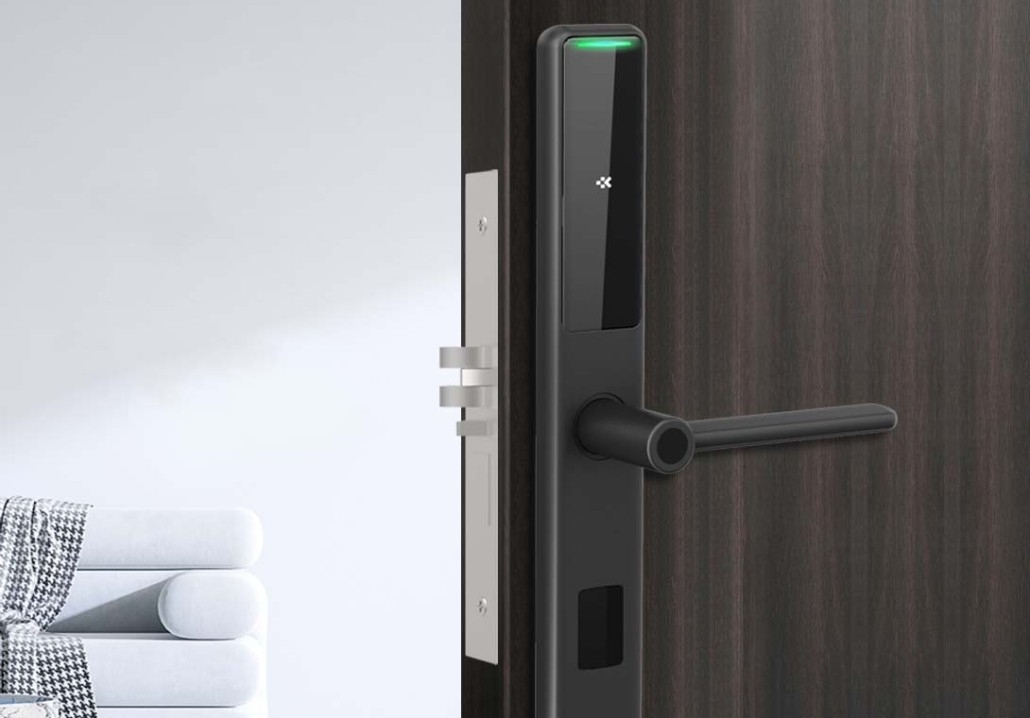
Smart locks have revolutionized home security, offering keyless entry, remote access, and seamless smart home integration. But when choosing between a Bluetooth smart lock and a Wi-Fi smart lock, which one is right for you?
This guide compares the two technologies, highlighting their pros, cons, and best use cases for American homeowners. By the end, you’ll know exactly which type of smart lock fits your lifestyle.
1. How Bluetooth and Wi-Fi Smart Locks Work
Before diving into the comparison, let’s briefly explain how each type of smart lock functions.
Bluetooth Smart Locks
-
Short-range wireless connection (typically up to 30-50 feet).
-
Controlled via smartphone app when in Bluetooth range.
-
No internet required—works offline.
-
Lower power consumption (longer battery life).
-
Often requires a separate hub for remote access.
Wi-Fi Smart Locks
-
Connects directly to home Wi-Fi for internet access.
-
Can be controlled remotely from anywhere (no proximity needed).
-
Works with voice assistants (Alexa, Google Assistant, Siri).
-
Higher power usage (shorter battery life).
-
No additional hub required (in most cases).
Now, let’s break down the key differences.
2. Bluetooth vs. Wi-Fi Smart Locks: Key Differences
Range & Remote Access
-
Bluetooth: Only works when you’re nearby (great for auto-unlocking as you approach your door).
-
Wi-Fi: Allows true remote control (lock/unlock from anywhere in the world).
Best for travelers? Wi-Fi wins—you can check your door status while on vacation.
Smart Home Integration
-
Bluetooth: Often needs a smart hub for voice control.
-
Wi-Fi: Works natively with Alexa, Google Assistant, and Apple HomeKit without extra hardware.
Best for smart homes? Wi-Fi is more flexible.
Battery Life
-
Bluetooth: Uses less power (batteries last 6-12 months).
-
Wi-Fi: Drains batteries faster (typically 3-6 months).
Best for low maintenance? Bluetooth wins.
Security
-
Bluetooth: Less vulnerable to remote hacking (since it’s proximity-based).
-
Wi-Fi: Uses strong encryption but is technically more exposed to cyber threats.
Best for security? Bluetooth is slightly safer, but both are secure if properly configured.
Installation & Compatibility
-
Bluetooth: Easier to install (no Wi-Fi setup required).
-
Wi-Fi: May require a strong Wi-Fi signal near the door.
Best for DIY installation? Bluetooth is simpler.
3. When Should You Choose a Bluetooth Smart Lock?
Ideal for:
-
Renters (easy to install/uninstall).
-
People who mostly control locks at home (no need for remote access).
-
Users who prioritize battery life (fewer replacements).
-
Those concerned about Wi-Fi hacking risks.
4. When Should You Choose a Wi-Fi Smart Lock?
Ideal for:
-
Frequent travelers (remote access is essential).
-
Smart home enthusiasts (seamless Alexa/Google Assistant control).
-
Families with multiple users (easy guest access management).
-
People who want real-time alerts (e.g., kids coming home from school).
5. Can You Get the Best of Both Worlds?
Some smart locks offer dual connectivity (Bluetooth + Wi-Fi), giving you:
-
Remote access via Wi-Fi.
-
Longer battery life when using Bluetooth.
-
Backup control if Wi-Fi goes down.
6. Final Verdict: Which Is Better?
| Feature | Bluetooth Smart Lock | Wi-Fi Smart Lock |
|---|---|---|
| Remote Access | No (unless using a hub) | Yes |
| Battery Life | 6-12 months | 3-6 months |
| Voice Control | Needs a hub | Built-in |
| Security | More hack-resistant | Secure with encryption |
| Best For | Renters, local use | Homeowners, travelers |
Choose Bluetooth If:
-
You mostly control the lock while at home.
-
You want longer battery life.
-
You don’t need remote access.
Choose Wi-Fi If:
-
You want to lock/unlock doors from anywhere.
-
You use voice assistants like Alexa or Google Home.
-
You need guest access features.
Choose a Hybrid (Bluetooth + Wi-Fi) If:
-
You want both convenience and battery efficiency.
7. Which Smart Lock Will You Choose?
Both Bluetooth and Wi-Fi smart locks have their strengths. Your choice depends on:
-
How often you need remote access.
-
Your smart home setup.
-
How much maintenance (battery changes) you’re willing to handle.
For most American homeowners, a Wi-Fi smart lock offers the best balance of convenience and smart home integration. But if you’re a renter or prefer simplicity, a Bluetooth model might be the better pick.
Related Blog
 https://www.keyplusystem.com/wp-content/uploads/2026/10/image-20261010-080119085.png
1024
1536
Wu, Wendy
/wp-content/uploads/2023/05/logo.png
Wu, Wendy2026-10-10 06:01:302026-10-10 06:01:31Driving Hotel Efficiency with Advanced Digital Door Locks: The Ultimate B2B Guide
https://www.keyplusystem.com/wp-content/uploads/2026/10/image-20261010-080119085.png
1024
1536
Wu, Wendy
/wp-content/uploads/2023/05/logo.png
Wu, Wendy2026-10-10 06:01:302026-10-10 06:01:31Driving Hotel Efficiency with Advanced Digital Door Locks: The Ultimate B2B Guide https://www.keyplusystem.com/wp-content/uploads/2026/10/image-20261010-000134148.png
1024
1536
Wu, Wendy
/wp-content/uploads/2023/05/logo.png
Wu, Wendy2026-10-09 22:01:442026-10-09 22:01:46Revolutionizing Hotel Security: RFID Key Cards and AIoT Smart Lock Solutions by KEYPLUS
https://www.keyplusystem.com/wp-content/uploads/2026/10/image-20261010-000134148.png
1024
1536
Wu, Wendy
/wp-content/uploads/2023/05/logo.png
Wu, Wendy2026-10-09 22:01:442026-10-09 22:01:46Revolutionizing Hotel Security: RFID Key Cards and AIoT Smart Lock Solutions by KEYPLUS https://www.keyplusystem.com/wp-content/uploads/2026/10/image-20261009-160126393.png
1024
1536
Wu, Wendy
/wp-content/uploads/2023/05/logo.png
Wu, Wendy2026-10-09 14:01:362026-10-09 14:01:38The Future of Hospitality: Wireless Hotel Lock Systems Powered by KEYPLUS
https://www.keyplusystem.com/wp-content/uploads/2026/10/image-20261009-160126393.png
1024
1536
Wu, Wendy
/wp-content/uploads/2023/05/logo.png
Wu, Wendy2026-10-09 14:01:362026-10-09 14:01:38The Future of Hospitality: Wireless Hotel Lock Systems Powered by KEYPLUS https://www.keyplusystem.com/wp-content/uploads/2026/10/image-20261009-080202455.png
1024
1536
Wu, Wendy
/wp-content/uploads/2023/05/logo.png
Wu, Wendy2026-10-09 06:02:152026-10-09 06:02:17Revolutionizing Hotel Security: The Future of Smart Locks for Hospitality Spaces
https://www.keyplusystem.com/wp-content/uploads/2026/10/image-20261009-080202455.png
1024
1536
Wu, Wendy
/wp-content/uploads/2023/05/logo.png
Wu, Wendy2026-10-09 06:02:152026-10-09 06:02:17Revolutionizing Hotel Security: The Future of Smart Locks for Hospitality Spaces https://www.keyplusystem.com/wp-content/uploads/2026/10/image-20261009-000116876.png
1024
1536
Wu, Wendy
/wp-content/uploads/2023/05/logo.png
Wu, Wendy2026-10-08 22:01:272026-10-08 22:01:29Revolutionizing Hotel Room Security: How Smart Locks Enhance Guest Safety and Operational Efficiency
https://www.keyplusystem.com/wp-content/uploads/2026/10/image-20261009-000116876.png
1024
1536
Wu, Wendy
/wp-content/uploads/2023/05/logo.png
Wu, Wendy2026-10-08 22:01:272026-10-08 22:01:29Revolutionizing Hotel Room Security: How Smart Locks Enhance Guest Safety and Operational Efficiency https://www.keyplusystem.com/wp-content/uploads/2026/10/image-20261008-080144553.png
1024
1536
Wu, Wendy
/wp-content/uploads/2023/05/logo.png
Wu, Wendy2026-10-08 06:01:552026-10-08 06:01:57Why Portable Locks are a Game-Changer for Modern Hotel Room Security
https://www.keyplusystem.com/wp-content/uploads/2026/10/image-20261008-080144553.png
1024
1536
Wu, Wendy
/wp-content/uploads/2023/05/logo.png
Wu, Wendy2026-10-08 06:01:552026-10-08 06:01:57Why Portable Locks are a Game-Changer for Modern Hotel Room Security
