
Do Electronic Door Locks Require Electricity?
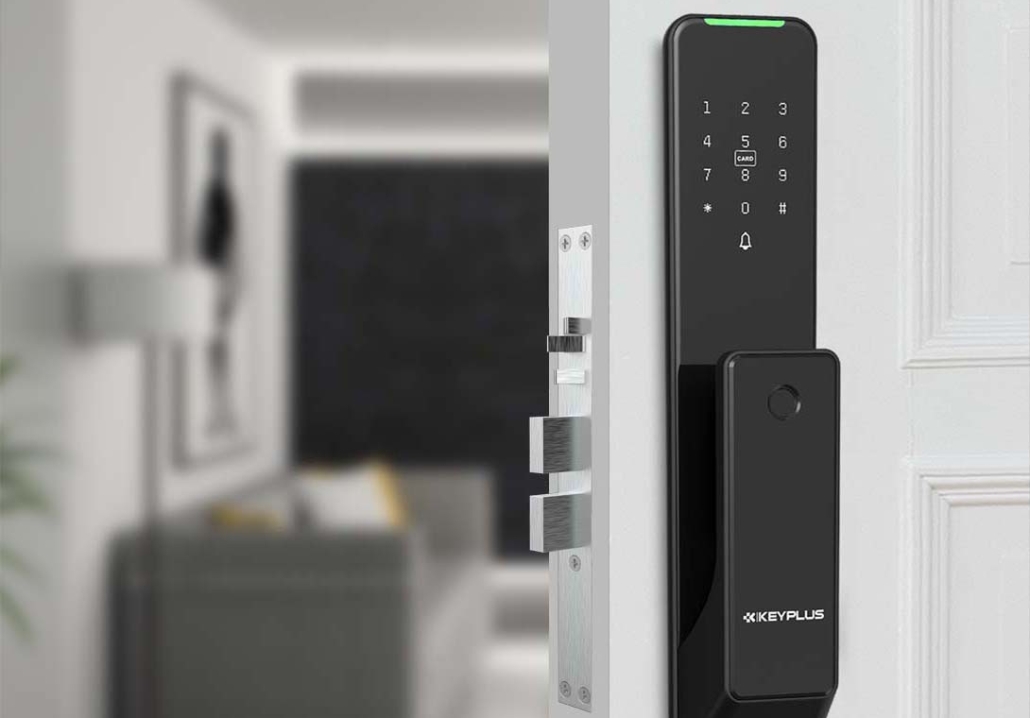
Electronic door locks have become increasingly popular in American homes, offering convenience, enhanced security, and smart home integration. But one common question homeowners have is: Do electronic door locks require electricity?
The short answer is yes, most electronic locks need some form of power to function. However, the way they receive that power can vary—and many have backup options in case of an outage.
In this article, we’ll explore:
- How electronic door locks get power
- What happens during a power outage
- Battery life and replacement tips
- Alternative power options
- Choosing the right lock for your home
How Do Electronic Door Locks Get Power?
Unlike traditional mechanical locks, electronic locks rely on electricity to operate. They typically use one (or more) of the following power sources:
1. Batteries (Most Common)
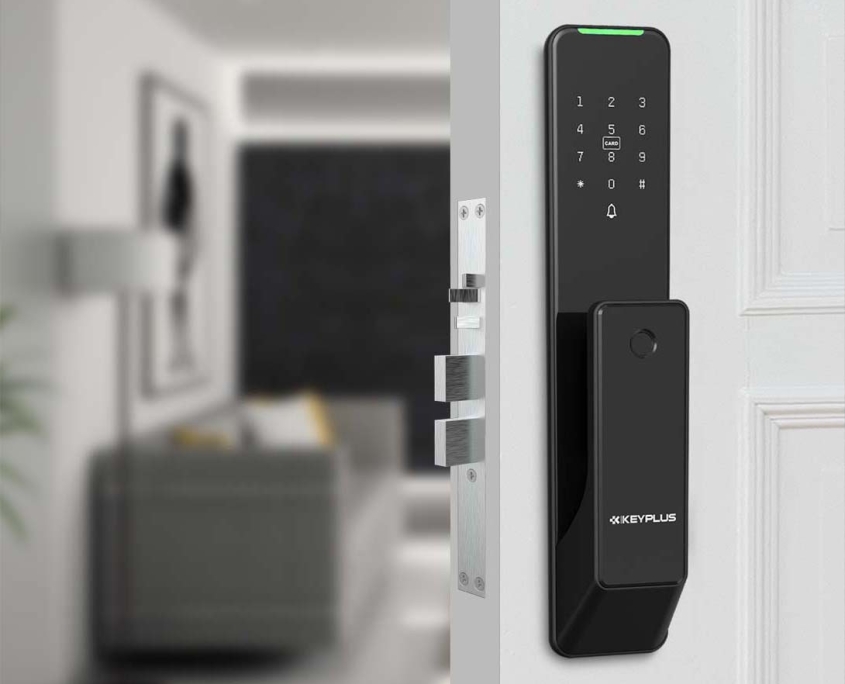
The majority of electronic door locks—including smart locks like Keyplus—run on standard AA or AAA batteries. These batteries power the lock’s motor, keypad, Wi-Fi/Bluetooth connectivity, and other electronic components.
Battery Life: Most locks last 6 months to 2 years on a single set of batteries, depending on usage. Smart locks with frequent connectivity (like Wi-Fi) drain batteries faster.
2. Hardwired Power (Less Common)
Some high-end electronic locks can be hardwired into your home’s electrical system, similar to a doorbell or security system. These are often used in commercial buildings but are less common in residential settings.
Pros: No battery changes needed.
Cons: Requires professional installation; fails during power outages unless backed up.
3. Solar or Kinetic Energy (Emerging Options)
A few innovative locks use solar panels or kinetic energy (generated by turning the lock) to recharge their batteries. These are rare but could become more popular as energy-efficient tech advances.
What Happens If the Power Goes Out?
A major concern for homeowners is whether an electronic lock will stop working during a blackout. Here’s what you need to know:
Battery-Powered Locks
- If the batteries die, most electronic locks still allow manual entry (e.g., a physical key or a 9V battery emergency boost).
- Many smart locks send low-battery alerts via smartphone notifications.
Hardwired Locks
- If connected to home power without a backup, these locks may fail during an outage.
- Some models have battery backups to prevent lockouts.
Backup Entry Methods
Nearly all electronic locks include at least one backup entry method, such as:
- A physical key (hidden keyhole)
- A 9V battery touchpoint (for emergency power)
- Manual override (mechanical turn from inside)
How Long Do Electronic Lock Batteries Last?
Battery life varies by lock type and usage:
| Lock Type | Estimated Battery Life |
|---|---|
| Basic Keypad Lock | 1–2 years |
| Bluetooth Smart Lock | 6–12 months |
| Wi-Fi Smart Lock | 3–6 months (faster drain) |
Tips to Extend Battery Life
Use lithium batteries (last longer in extreme temperatures).
Disable unnecessary features (e.g., frequent Wi-Fi updates).
Check for firmware updates (some locks optimize power usage).
Are There Electronic Locks That Don’t Need Batteries?
Most electronic locks require some power, but a few alternatives exist:
1. Mechanical Electronic Hybrid Locks
Some locks use a mechanical key as backup, so even if batteries die, you can still enter.
2. Self-Generating Locks
A few high-security locks (mostly in Europe and Asia) use kinetic energy—each turn of the knob generates a small charge. These are rare in the U.S.
Choosing the Right Electronic Lock for Your Home
When shopping for an electronic lock, consider:
Battery life & replacement ease (Can you change them yourself?)
Backup entry options (Is there a physical key or emergency power?)
Smart home compatibility (Works with Alexa, Google Home, etc.)
Installation type (Battery vs. hardwired)
Final Verdict: Yes, Electronic Locks Need Power—But They’re Reliable
While electronic door locks do require electricity, most use long-lasting batteries with multiple backup options to prevent lockouts. For Americans looking for convenience without sacrificing security, modern smart locks are a safe and practical choice—just keep spare batteries on hand!
Pro Tip: Always check the lock’s specs before buying to ensure it fits your home’s needs.
Would you switch to an electronic lock, or do you prefer traditional keys? If you want to know more about electronic door locks, please contact us in the message area!
Related Blog
 https://www.keyplusystem.com/wp-content/uploads/2026/10/image-20261010-080119085.png
1024
1536
Wu, Wendy
/wp-content/uploads/2023/05/logo.png
Wu, Wendy2026-10-10 06:01:302026-10-10 06:01:31Driving Hotel Efficiency with Advanced Digital Door Locks: The Ultimate B2B Guide
https://www.keyplusystem.com/wp-content/uploads/2026/10/image-20261010-080119085.png
1024
1536
Wu, Wendy
/wp-content/uploads/2023/05/logo.png
Wu, Wendy2026-10-10 06:01:302026-10-10 06:01:31Driving Hotel Efficiency with Advanced Digital Door Locks: The Ultimate B2B Guide https://www.keyplusystem.com/wp-content/uploads/2026/10/image-20261010-000134148.png
1024
1536
Wu, Wendy
/wp-content/uploads/2023/05/logo.png
Wu, Wendy2026-10-09 22:01:442026-10-09 22:01:46Revolutionizing Hotel Security: RFID Key Cards and AIoT Smart Lock Solutions by KEYPLUS
https://www.keyplusystem.com/wp-content/uploads/2026/10/image-20261010-000134148.png
1024
1536
Wu, Wendy
/wp-content/uploads/2023/05/logo.png
Wu, Wendy2026-10-09 22:01:442026-10-09 22:01:46Revolutionizing Hotel Security: RFID Key Cards and AIoT Smart Lock Solutions by KEYPLUS https://www.keyplusystem.com/wp-content/uploads/2026/10/image-20261009-160126393.png
1024
1536
Wu, Wendy
/wp-content/uploads/2023/05/logo.png
Wu, Wendy2026-10-09 14:01:362026-10-09 14:01:38The Future of Hospitality: Wireless Hotel Lock Systems Powered by KEYPLUS
https://www.keyplusystem.com/wp-content/uploads/2026/10/image-20261009-160126393.png
1024
1536
Wu, Wendy
/wp-content/uploads/2023/05/logo.png
Wu, Wendy2026-10-09 14:01:362026-10-09 14:01:38The Future of Hospitality: Wireless Hotel Lock Systems Powered by KEYPLUS https://www.keyplusystem.com/wp-content/uploads/2026/10/image-20261009-080202455.png
1024
1536
Wu, Wendy
/wp-content/uploads/2023/05/logo.png
Wu, Wendy2026-10-09 06:02:152026-10-09 06:02:17Revolutionizing Hotel Security: The Future of Smart Locks for Hospitality Spaces
https://www.keyplusystem.com/wp-content/uploads/2026/10/image-20261009-080202455.png
1024
1536
Wu, Wendy
/wp-content/uploads/2023/05/logo.png
Wu, Wendy2026-10-09 06:02:152026-10-09 06:02:17Revolutionizing Hotel Security: The Future of Smart Locks for Hospitality Spaces https://www.keyplusystem.com/wp-content/uploads/2026/10/image-20261009-000116876.png
1024
1536
Wu, Wendy
/wp-content/uploads/2023/05/logo.png
Wu, Wendy2026-10-08 22:01:272026-10-08 22:01:29Revolutionizing Hotel Room Security: How Smart Locks Enhance Guest Safety and Operational Efficiency
https://www.keyplusystem.com/wp-content/uploads/2026/10/image-20261009-000116876.png
1024
1536
Wu, Wendy
/wp-content/uploads/2023/05/logo.png
Wu, Wendy2026-10-08 22:01:272026-10-08 22:01:29Revolutionizing Hotel Room Security: How Smart Locks Enhance Guest Safety and Operational Efficiency https://www.keyplusystem.com/wp-content/uploads/2026/10/image-20261008-080144553.png
1024
1536
Wu, Wendy
/wp-content/uploads/2023/05/logo.png
Wu, Wendy2026-10-08 06:01:552026-10-08 06:01:57Why Portable Locks are a Game-Changer for Modern Hotel Room Security
https://www.keyplusystem.com/wp-content/uploads/2026/10/image-20261008-080144553.png
1024
1536
Wu, Wendy
/wp-content/uploads/2023/05/logo.png
Wu, Wendy2026-10-08 06:01:552026-10-08 06:01:57Why Portable Locks are a Game-Changer for Modern Hotel Room Security
