
Do Electronic Door Locks Need Wi-Fi?
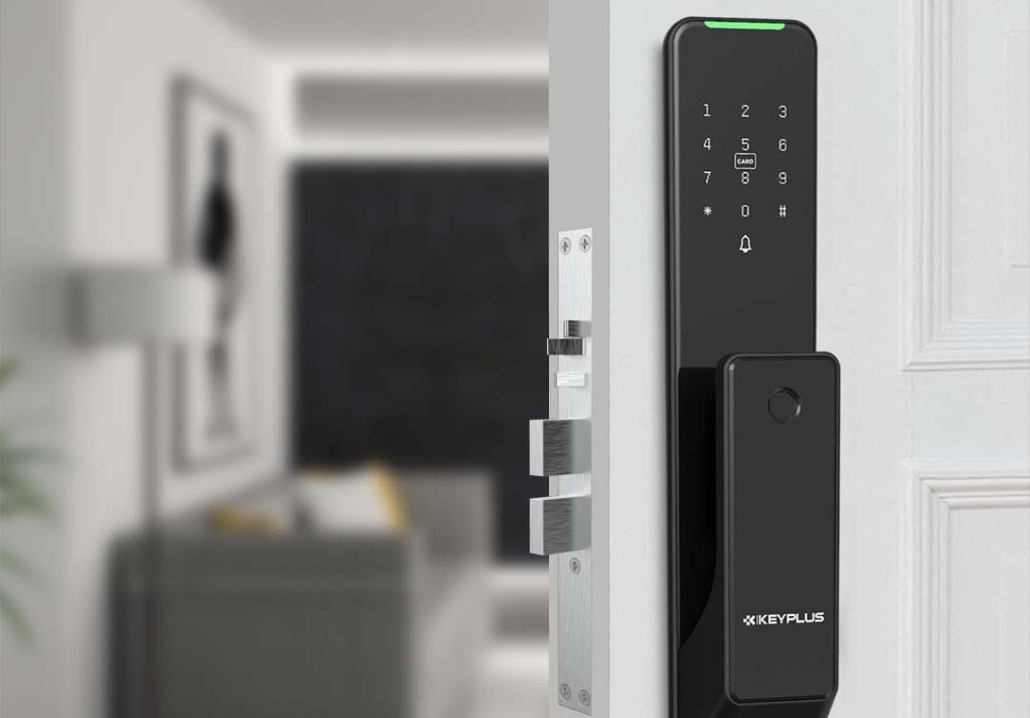
Electronic door locks have become a popular upgrade for modern homes, offering keyless entry, remote access, and smart home integration. But one common question many Americans have is: Do electronic door locks need Wi-Fi to work?
The short answer is: No, not all electronic locks require Wi-Fi—but some do for advanced features.
In this guide, we’ll break down:
-
Types of Electronic Locks & Their Connectivity Needs
-
Wi-Fi vs. Non-Wi-Fi Electronic Locks: Pros & Cons
-
When Wi-Fi is Necessary (And When It’s Not)
-
Alternatives to Wi-Fi for Smart Lock Connectivity
-
Security & Privacy Concerns with Wi-Fi Locks
By the end, you’ll know exactly which type of electronic lock fits your home—with or without Wi-Fi.
1. Types of Electronic Locks & Their Connectivity Needs
Not all electronic locks work the same way. Here are the three main categories and whether they need Wi-Fi:
A. Basic Keypad Locks (No Wi-Fi Needed)
-
How they work: Use a numeric code for entry.
-
Wi-Fi required? No—these are standalone devices.
-
Best for: Simple keyless entry without smart features.
B. Bluetooth-Enabled Smart Locks (Wi-Fi Optional)
-
How they work: Connect to your phone via Bluetooth for keyless entry.
-
Wi-Fi required? No, but you can add a Wi-Fi bridge (sold separately) for remote access.
-
Best for: People who want smartphone control but don’t need remote access.
C. Wi-Fi Smart Locks (Wi-Fi Required)
-
How they work: Connect directly to your home Wi-Fi for full remote control.
-
Wi-Fi required? Yes—needs a stable internet connection.
-
Best for: Users who want remote locking/unlocking, voice control, and smart home integration.
2. Wi-Fi vs. Non-Wi-Fi Electronic Locks: Pros & Cons
Wi-Fi Locks: The Good & Bad
Pros:
-
Remote access (lock/unlock from anywhere).
-
Real-time alerts (get notifications when someone enters).
-
Works with Alexa, Google Home, and Apple HomeKit.
Cons:
-
Dependent on Wi-Fi stability (if your internet goes down, remote features stop working).
-
Higher power consumption (drains batteries faster).
-
Potential security risks (hacking vulnerabilities if not properly secured).
Non-Wi-Fi Locks: The Good & Bad
Pros:
-
No internet needed—works offline.
-
Longer battery life (Bluetooth uses less power than Wi-Fi).
-
More secure (no risk of remote hacking).
Cons:
-
No remote access (must be near the lock for Bluetooth control).
-
Fewer smart features (no voice control or automation).
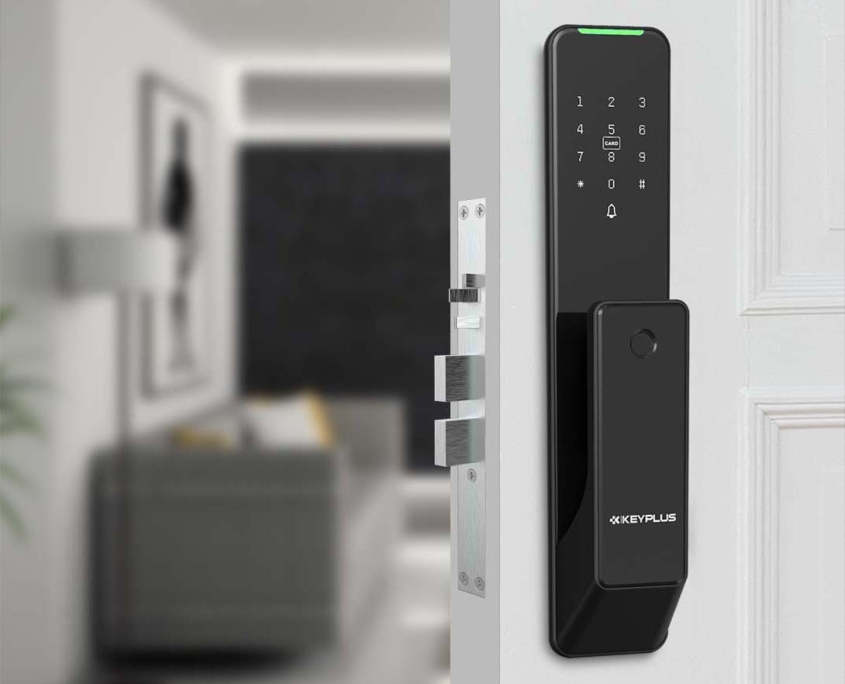
3. When Wi-Fi Is Necessary (And When It’s Not)
You Need Wi-Fi If You Want…
-
Remote access (e.g., letting in a guest while you’re away).
-
Smart home integration (e.g., “Alexa, lock my front door”).
-
Activity logs (check who entered and when).
You Don’t Need Wi-Fi If You Prefer…
-
Simple keyless entry (just a code or Bluetooth phone access).
-
No reliance on internet (avoiding connectivity issues).
-
Better battery life (Wi-Fi drains batteries faster).
4. Alternatives to Wi-Fi for Smart Lock Connectivity
If you want some smart features without Wi-Fi, consider:
A. Bluetooth + Hub (Zigbee/Z-Wave)
-
How it works: The lock connects to a hub, which then uses your Wi-Fi.
-
Benefit: More reliable than direct Wi-Fi, lower power usage.
B. Cellular-Enabled Locks (Rare but Available)
-
How it works: Uses 4G/LTE (like alarm systems).
-
Example: Not common for residential locks but used in high-security settings.
C. Local-Only Smart Locks (HomeKit Secure)
-
How it works: Uses Apple HomeKit Secure Video for local processing (no cloud).
-
Example: Aqara U100 (works without internet after setup).
5. Security & Privacy Concerns with Wi-Fi Locks
While convenient, Wi-Fi locks come with risks:
A. Hacking Vulnerabilities
-
Weak passwords or unsecured networks can be exploited.
-
Some cheaper locks have been hacked via Bluetooth relay attacks.
B. Data Privacy Issues
-
Cloud-based locks store access logs—check the company’s privacy policy.
How to Secure Your Wi-Fi Lock:
-
Use strong, unique passwords.
-
Enable two-factor authentication (2FA) if available.
-
Keep firmware updated.
Final Verdict: Should Your Electronic Lock Use Wi-Fi?
| Scenario | Best Lock Type |
|---|---|
| “I just want keyless entry.” | Basic keypad lock (no Wi-Fi) |
| “I want phone access but no remote control.” | Bluetooth smart lock |
| “I want full smart home control.” | Wi-Fi or hub-connected lock |
| “I’m worried about hacking.” | Bluetooth or local-only lock |
Key Takeaways:
-
No, electronic locks don’t always need Wi-Fi.
-
Wi-Fi is only necessary for remote access & smart home features.
-
Bluetooth & keypad locks are great for offline use.
-
Security matters—always choose reputable brands with encryption.
Have you tried a Wi-Fi vs. non-Wi-Fi lock? Share your experience in the comments!
Related Blog
 https://www.keyplusystem.com/wp-content/uploads/2026/09/image-20260916-080131790.png
1024
1536
Wu, Wendy
/wp-content/uploads/2023/05/logo.png
Wu, Wendy2026-09-16 06:01:412026-09-16 06:01:43Revolutionizing Hotel Security: The Future of Hotel Card Lock Systems
https://www.keyplusystem.com/wp-content/uploads/2026/09/image-20260916-080131790.png
1024
1536
Wu, Wendy
/wp-content/uploads/2023/05/logo.png
Wu, Wendy2026-09-16 06:01:412026-09-16 06:01:43Revolutionizing Hotel Security: The Future of Hotel Card Lock Systems https://www.keyplusystem.com/wp-content/uploads/2026/09/image-20260916-000145270.png
1024
1536
Wu, Wendy
/wp-content/uploads/2023/05/logo.png
Wu, Wendy2026-09-15 22:01:552026-09-15 22:01:56Maximizing Hotel Efficiency with RFID Door Locks: A Comprehensive B2B Guide
https://www.keyplusystem.com/wp-content/uploads/2026/09/image-20260916-000145270.png
1024
1536
Wu, Wendy
/wp-content/uploads/2023/05/logo.png
Wu, Wendy2026-09-15 22:01:552026-09-15 22:01:56Maximizing Hotel Efficiency with RFID Door Locks: A Comprehensive B2B Guide https://www.keyplusystem.com/wp-content/uploads/2026/09/image-20260915-160317600.png
1024
1536
Wu, Wendy
/wp-content/uploads/2023/05/logo.png
Wu, Wendy2026-09-15 14:03:282026-09-15 14:03:29Revolutionizing Portable Hotel Door Locks: KEYPLUS Leads with Innovation and Security
https://www.keyplusystem.com/wp-content/uploads/2026/09/image-20260915-160317600.png
1024
1536
Wu, Wendy
/wp-content/uploads/2023/05/logo.png
Wu, Wendy2026-09-15 14:03:282026-09-15 14:03:29Revolutionizing Portable Hotel Door Locks: KEYPLUS Leads with Innovation and Security https://www.keyplusystem.com/wp-content/uploads/2026/09/image-20260915-080132284.png
1024
1536
Wu, Wendy
/wp-content/uploads/2023/05/logo.png
Wu, Wendy2026-09-15 06:01:422026-09-15 06:01:44Redefining Hotel Room Security: How KEYPLUS Smart Locks Elevate Hospitality Standards
https://www.keyplusystem.com/wp-content/uploads/2026/09/image-20260915-080132284.png
1024
1536
Wu, Wendy
/wp-content/uploads/2023/05/logo.png
Wu, Wendy2026-09-15 06:01:422026-09-15 06:01:44Redefining Hotel Room Security: How KEYPLUS Smart Locks Elevate Hospitality Standards https://www.keyplusystem.com/wp-content/uploads/2026/09/image-20260915-000128713.png
1024
1536
Wu, Wendy
/wp-content/uploads/2023/05/logo.png
Wu, Wendy2026-09-14 22:01:402026-09-14 22:01:43Revolutionizing Hotel Room Key Card Systems: The AIoT Edge in Access Control
https://www.keyplusystem.com/wp-content/uploads/2026/09/image-20260915-000128713.png
1024
1536
Wu, Wendy
/wp-content/uploads/2023/05/logo.png
Wu, Wendy2026-09-14 22:01:402026-09-14 22:01:43Revolutionizing Hotel Room Key Card Systems: The AIoT Edge in Access Control https://www.keyplusystem.com/wp-content/uploads/2026/09/image-20260914-080147955.png
1024
1536
Wu, Wendy
/wp-content/uploads/2023/05/logo.png
Wu, Wendy2026-09-14 06:01:582026-09-14 06:02:00Revolutionizing Hotel Room Security: The Role of Portable and Smart Safety Locks
https://www.keyplusystem.com/wp-content/uploads/2026/09/image-20260914-080147955.png
1024
1536
Wu, Wendy
/wp-content/uploads/2023/05/logo.png
Wu, Wendy2026-09-14 06:01:582026-09-14 06:02:00Revolutionizing Hotel Room Security: The Role of Portable and Smart Safety Locks
