
How Smart Door Lock Works
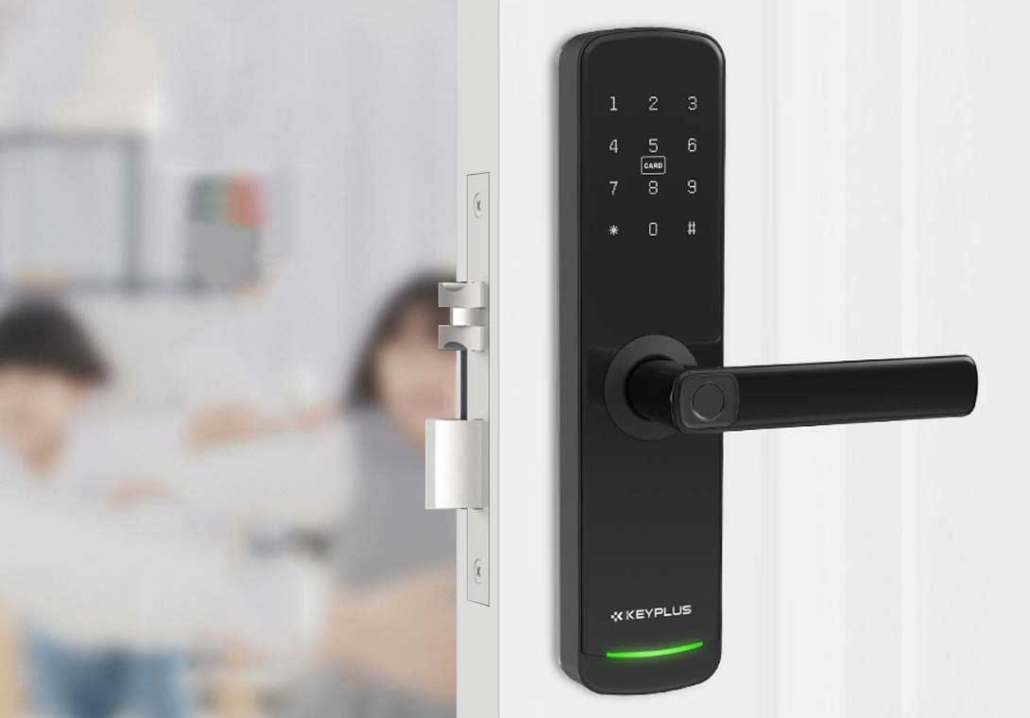
Smart locks are revolutionizing home security by combining convenience with advanced technology. Unlike traditional locks that require physical keys, smart locks use wireless communication, encryption, and biometrics to provide secure, keyless entry.
In this article, we’ll break down how smart locks work in a way that’s easy to understand—whether you’re a tech enthusiast or just looking for a safer, smarter way to secure your home.
1. What Is a Smart Lock?
A smart lock is an electronic locking system that replaces or enhances a traditional deadbolt. Instead of using a physical key, it allows you to unlock your door using:
- Smartphones (via Bluetooth, Wi-Fi, or an app)
- Keypads (PIN codes)
- Fingerprint scanners (biometric access)
- Voice commands (via Alexa, Google Assistant, or Siri)
- Remote access (unlocking from anywhere via the internet)
Some smart locks work with existing deadbolts, while others replace the entire locking mechanism.
2. How Do Smart Locks Work?
Smart locks rely on a combination of hardware and software to function. Here’s a step-by-step breakdown:
A. Wireless Connectivity
Most smart locks connect to your home network via:
- Bluetooth – Works with your smartphone when you’re nearby (no internet needed).
- Wi-Fi – Allows remote access from anywhere via an app.
- Z-Wave or Zigbee – Used in smart home systems (like Ring or SmartThings) for better battery life and integration.
B. Authentication Methods
Before unlocking, the smart lock verifies your identity using:
- Mobile App – Your phone sends an encrypted signal to the lock.
- PIN Code – Enter a secure passcode on a built-in keypad.
- Fingerprint Scan – Biometric sensors match your fingerprint to stored data.
- Voice Control – Works with smart assistants (e.g., “Alexa, unlock the front door”).
- RFID/NFC – Tap a key fob or card to unlock (common in hotels and offices).
C. Motorized Locking Mechanism
Once authenticated, an electric motor inside the lock turns the deadbolt, allowing the door to open. Some models also feature auto-lock, which secures the door after a set time.
D. Remote Access & Notifications
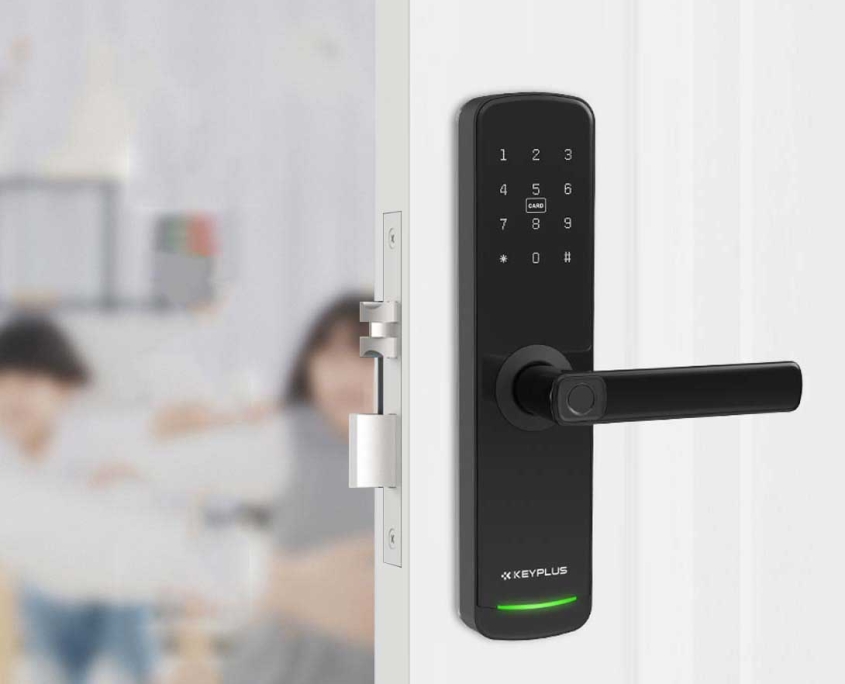
If your lock is Wi-Fi-enabled, you can:
- Lock/unlock from anywhere (great for letting in guests or service workers).
- Receive alerts when someone enters or exits.
- Set temporary access codes (for Airbnb guests or cleaners).
E. Backup Power Options
Smart locks usually run on batteries (AA or lithium-ion). Many have:
- Low-battery warnings (via app notifications).
- Emergency power options (USB-C or 9V battery backup).
3. Security Features of Smart Locks
Are smart locks safe? The best ones use:
- AES-256 Encryption – Military-grade security to prevent hacking.
- Two-Factor Authentication (2FA) – Requires a second verification step.
- Tamper Alerts – Notifies you if someone tries to force the lock.
- Auto-Lock – Ensures your door is never accidentally left unlocked.
4. Smart Lock Compatibility
Many smart locks integrate with:
- Smart Home Hubs (Amazon Alexa, Google Home, Apple HomeKit).
- Security Systems (Ring, ADT, SimpliSafe).
- Video Doorbells (to see who’s at the door before unlocking).
5. Pros and Cons of Smart Locks
Pros:
✔ No more lost keys – Use your phone or fingerprint.
✔ Grant temporary access (for guests, Airbnb, dog walkers).
✔ Monitor who enters and exits your home.
✔ Works with other smart home devices.
Cons:
✘ Requires batteries (need occasional replacement).
✘ Higher upfront cost than traditional locks.
6. Are Smart Locks Worth It?
If you want keyless convenience, remote access, and better security, a smart lock is a great upgrade. However, for maximum security, pair it with a traditional deadbolt or alarm system.
Final Thoughts
Smart locks offer a futuristic way to secure your home without fumbling for keys. With features like remote access, biometric entry, and smart home integration, they’re becoming a must-have for modern American households.
Would you switch to a smart lock? Let us know in the comments!
Related Blog
 https://www.keyplusystem.com/wp-content/uploads/2026/10/image-20261010-080119085.png
1024
1536
Wu, Wendy
/wp-content/uploads/2023/05/logo.png
Wu, Wendy2026-10-10 06:01:302026-10-10 06:01:31Driving Hotel Efficiency with Advanced Digital Door Locks: The Ultimate B2B Guide
https://www.keyplusystem.com/wp-content/uploads/2026/10/image-20261010-080119085.png
1024
1536
Wu, Wendy
/wp-content/uploads/2023/05/logo.png
Wu, Wendy2026-10-10 06:01:302026-10-10 06:01:31Driving Hotel Efficiency with Advanced Digital Door Locks: The Ultimate B2B Guide https://www.keyplusystem.com/wp-content/uploads/2026/10/image-20261010-000134148.png
1024
1536
Wu, Wendy
/wp-content/uploads/2023/05/logo.png
Wu, Wendy2026-10-09 22:01:442026-10-09 22:01:46Revolutionizing Hotel Security: RFID Key Cards and AIoT Smart Lock Solutions by KEYPLUS
https://www.keyplusystem.com/wp-content/uploads/2026/10/image-20261010-000134148.png
1024
1536
Wu, Wendy
/wp-content/uploads/2023/05/logo.png
Wu, Wendy2026-10-09 22:01:442026-10-09 22:01:46Revolutionizing Hotel Security: RFID Key Cards and AIoT Smart Lock Solutions by KEYPLUS https://www.keyplusystem.com/wp-content/uploads/2026/10/image-20261009-160126393.png
1024
1536
Wu, Wendy
/wp-content/uploads/2023/05/logo.png
Wu, Wendy2026-10-09 14:01:362026-10-09 14:01:38The Future of Hospitality: Wireless Hotel Lock Systems Powered by KEYPLUS
https://www.keyplusystem.com/wp-content/uploads/2026/10/image-20261009-160126393.png
1024
1536
Wu, Wendy
/wp-content/uploads/2023/05/logo.png
Wu, Wendy2026-10-09 14:01:362026-10-09 14:01:38The Future of Hospitality: Wireless Hotel Lock Systems Powered by KEYPLUS https://www.keyplusystem.com/wp-content/uploads/2026/10/image-20261009-080202455.png
1024
1536
Wu, Wendy
/wp-content/uploads/2023/05/logo.png
Wu, Wendy2026-10-09 06:02:152026-10-09 06:02:17Revolutionizing Hotel Security: The Future of Smart Locks for Hospitality Spaces
https://www.keyplusystem.com/wp-content/uploads/2026/10/image-20261009-080202455.png
1024
1536
Wu, Wendy
/wp-content/uploads/2023/05/logo.png
Wu, Wendy2026-10-09 06:02:152026-10-09 06:02:17Revolutionizing Hotel Security: The Future of Smart Locks for Hospitality Spaces https://www.keyplusystem.com/wp-content/uploads/2026/10/image-20261009-000116876.png
1024
1536
Wu, Wendy
/wp-content/uploads/2023/05/logo.png
Wu, Wendy2026-10-08 22:01:272026-10-08 22:01:29Revolutionizing Hotel Room Security: How Smart Locks Enhance Guest Safety and Operational Efficiency
https://www.keyplusystem.com/wp-content/uploads/2026/10/image-20261009-000116876.png
1024
1536
Wu, Wendy
/wp-content/uploads/2023/05/logo.png
Wu, Wendy2026-10-08 22:01:272026-10-08 22:01:29Revolutionizing Hotel Room Security: How Smart Locks Enhance Guest Safety and Operational Efficiency https://www.keyplusystem.com/wp-content/uploads/2026/10/image-20261008-080144553.png
1024
1536
Wu, Wendy
/wp-content/uploads/2023/05/logo.png
Wu, Wendy2026-10-08 06:01:552026-10-08 06:01:57Why Portable Locks are a Game-Changer for Modern Hotel Room Security
https://www.keyplusystem.com/wp-content/uploads/2026/10/image-20261008-080144553.png
1024
1536
Wu, Wendy
/wp-content/uploads/2023/05/logo.png
Wu, Wendy2026-10-08 06:01:552026-10-08 06:01:57Why Portable Locks are a Game-Changer for Modern Hotel Room Security
