
Commercial Electronic Door Lock Systems: Selection & Door Fit
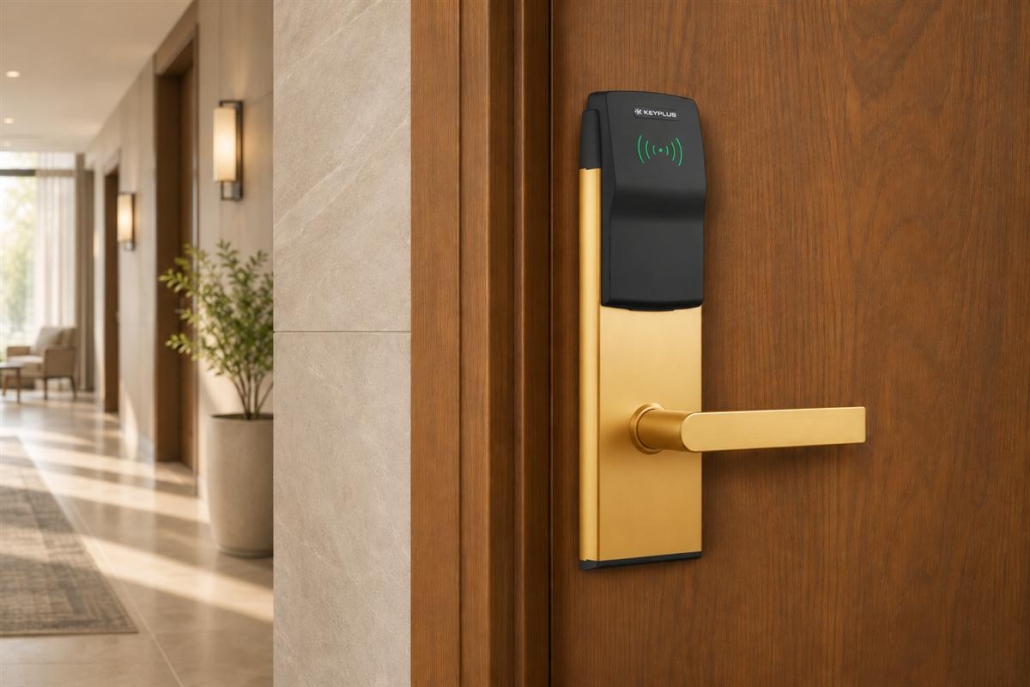
A commercial electronic door lock system combines a credential, electronic locking hardware and a way to manage access. It may operate at an individual door or connect multiple entrances through readers, controllers and management software. System selection depends on the building’s access workflow, door construction and management needs.
For building owners, contractors, integrators and distributors, selection has two connected parts: choosing the hardware at the door and choosing how permissions are managed. A keypad lock, a standalone card lock and a controller-based entrance system can serve different purposes even when they all provide keyless entry.
What Makes Up a Commercial Electronic Door Lock System?
At the door, the system needs a way to identify the user and operate the locking hardware. Behind that transaction is a permission arrangement: credentials may be managed locally or through a connected system. The door leaf, frame, mortise or locking device and the management method all belong to the same installation decision.
A connected entrance may include a separate reader, controller, electric locking device and power arrangement. A standalone electronic lock combines more of the access function at the door. These are system architectures, not interchangeable product packages.
Standalone Locks or Centralized Access Control?
Standalone locks can suit doors where local credential operation meets the operating need. Centralized access control suits projects that need permissions managed across connected entrances. A building can use different approaches for guestrooms, internal offices and shared entrances rather than forcing one lock type onto every door.
| System approach | How access is managed | Where it can fit |
|---|---|---|
| Standalone electronic lock | Access decisions are made locally; credential updates and record collection follow the supplied system. | Individual doors and local access workflows. |
| Networked lock configuration | Selected online functions connect through the matching network equipment. | Projects needing connected door-management functions. |
| Reader and controller system | A reader and controller work with the selected locking hardware and software. | Shared entrances and managed access across multiple doors. |
The distinction matters when a card is lost or a user leaves. Local systems may need an update at the door, while connected operations depend on the supplied architecture. For broader entrance projects, explore commercial access control systems.
Match the System to Offices, Shared Entrances and Hospitality
Offices and business premises
Office access follows staff responsibilities, visitor arrangements and the way rooms are shared. The useful comparison is between credential administration and door hardware: an internal office door and a building entrance may need different configurations even within the same property.
Shared entrances and multi-door projects
At common entrances, the relationship between the locking device, reader and controller is central to the design. The decision covers the whole opening, including the frame and power arrangement, rather than only the visible lock panel. KEYPLUS supplies commercial smart locks, mortises, access-control accessories and gateways for project selection.
Hotels and managed accommodation
Hotels have a specific guest-access workflow: reception issues credentials for the stay, and room access follows that arrangement. All KEYPLUS hotel locks support a hotel lock system; card versions and matching equipment follow the selected configuration. KEYPLUS combines room locks with management software and matching card equipment in its hotel lock system solution.
Door Fit Determines Whether a Lock Is a Practical Replacement
Electronic functions cannot compensate for incompatible door preparation. Door thickness, handing, mortise dimensions, backset, fixing points and strike position affect whether a replacement can be installed. In renovations, panel coverage and existing cutouts also matter.
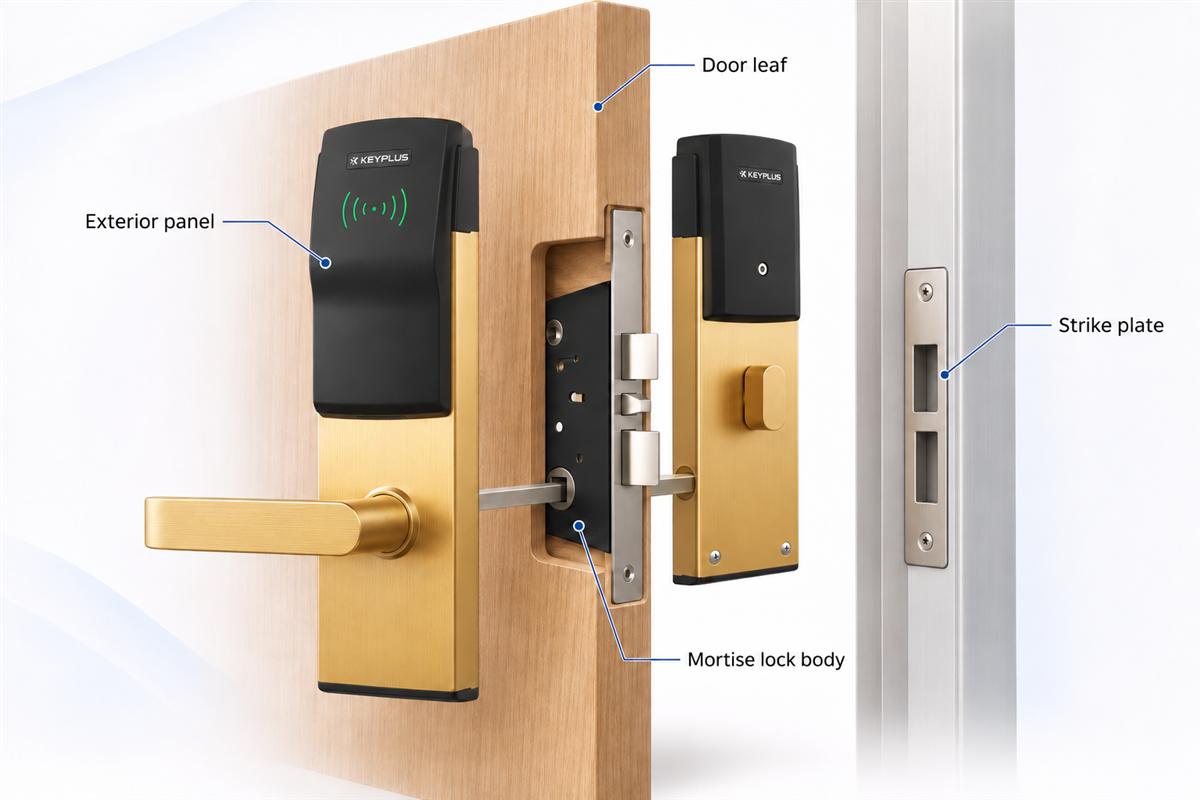
A mortise family name does not guarantee a direct replacement. The selected lock, mortise and door preparation must work as one configuration. KEYPLUS provides model selection and installation drawings through its engineering project support, including remote installation guidance and commissioning support.
Fire-door and other compliance requirements apply to the complete specified configuration, including the lock, mortise and door assembly. A matching panel appearance alone does not establish equivalent performance.
RFID, Keypad or Connected Credentials?
RFID cards provide a physical credential that can be issued to a user. Keypads offer code-based entry on models that support it. App-based and other connected methods depend on the selected product, software and network configuration.
Credential choice should reflect how staff, guests and visitors use the building and how the operating team manages permissions. Remote permission changes, access records and alerts depend on the selected lock and system configuration.
KEYPLUS offers project-based software and hardware integration. The selected lock, matching gateway and management platform determine the integration scope.
Choosing a Commercial Smart Lock Manufacturer or Supplier
A useful supplier comparison separates hardware supply from the services needed to deploy it. The lock, mortise, credentials, management software and matching accessories determine the equipment scope. Installation support, configuration and training determine how that equipment is put into service.
KEYPLUS manufactures commercial smart locks, mechanical and electronic mortises, access-control accessories and commercial gateways. Its project support includes installation drawings, remote installation guidance, software configuration, remote commissioning and user training. Overseas on-site work is arranged by project.
For distributors and private-label orders, OEM/ODM customization can cover branding, finishes and product-development requirements, with the scope tailored to the selected product and project.
A lock-only price and a complete system quotation describe different scopes. Comparing the same equipment and support scope gives a more useful purchasing decision than comparing headline prices for unlike packages.
Commercial Electronic Lock System FAQs
What is the best commercial electronic door lock system?
The best fit depends on the access workflow, door construction and management scope. Standalone locks, networked lock configurations and reader-controller systems serve different needs. There is no single architecture for every commercial door.
Are a commercial smart lock and an access control system the same thing?
A smart lock is hardware at a door. An access control system describes the wider arrangement for credentials, permission decisions, locking devices and management. A smart lock may be one component of that arrangement.
Can commercial electronic locks be installed on existing doors?
They can be used in retrofit projects where the selected configuration fits the existing door, frame, cutouts and mortise arrangement. Replacement suitability depends on the opening, not just the panel’s appearance.
Do all commercial electronic door locks require Wi-Fi?
No. Standalone locks use local operation, and connected systems can use different architectures. The network and gateway requirements depend on the selected configuration.
Does KEYPLUS supply complete commercial lock projects?
KEYPLUS supplies commercial locks, mortises, access-control accessories and gateways, with product selection and project support. The equipment and integration scope are tailored to the application.
Discuss your commercial door lock project with KEYPLUS for system selection, matching hardware and installation support.

